

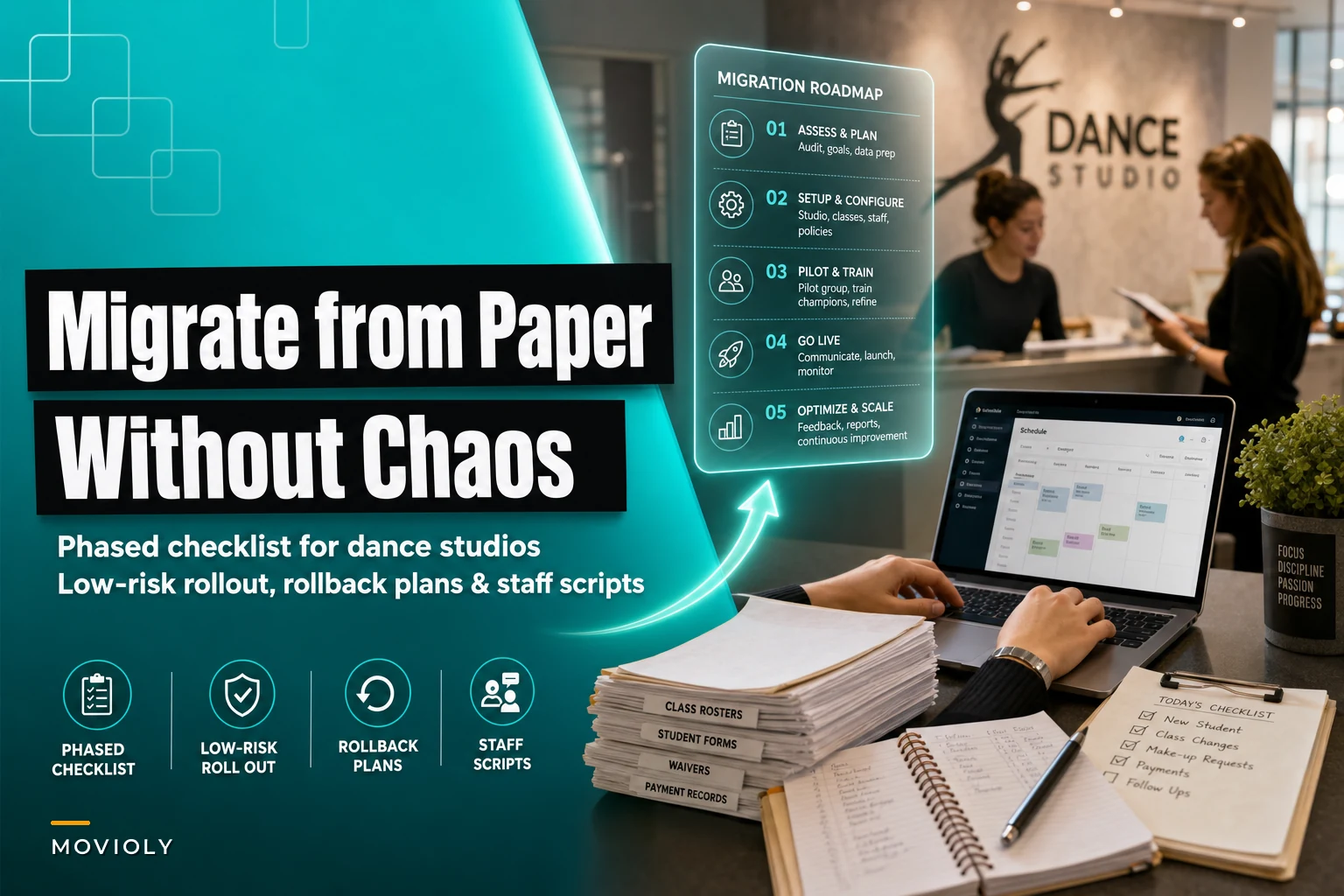

You're running a successful dance studio with 180 students, but your paper system is starting to crack. The registration binder for your competitive team went missing last week. Your assistant accidentally tossed costume measurement forms thinking they were duplicates. And when a parent asked about their payment history from last year, you had to dig through a cardboard box in the storage closet.
You know you need to migrate your dance studio from paper to digital. You've probably looked at studio management software, maybe even started a trial. But then reality hits — how do you actually move years of paper records without losing critical information or disrupting operations during your busiest season?
Most studios try this transition all at once. They pick a long weekend, dump everything into a new system, and hope for the best. By Tuesday, they're drowning in confused parents, missing data, and staff who can't find basic information. Within two weeks, they've gone back to paper with an expensive software subscription collecting dust.
Why studios fail at digital migration (and it's not the software)
The software itself rarely causes migration failures. What kills these transitions is trying to change everything simultaneously while keeping daily operations running.
Think about your typical Tuesday. You're processing new enrollments, updating class rosters, tracking attendance, fielding payment questions, and coordinating with instructors about schedule changes. Now layer on top of that: learning a completely new system, training staff who've used paper for years, and dealing with parents who can't figure out their logins.
Studios usually make three critical mistakes during migration.
First, they don't map their actual workflows before starting. Your paper system has evolved over years, with specific reasons behind each form, folder, and process. That attendance sheet taped to Studio B's door? It's there because instructors kept forgetting to grab the binder. The duplicate payment cards? One stays at the desk, one goes in the monthly reconciliation folder. These aren't random — they're operational fixes you've built up over time.
Second, they migrate data without cleaning it first. You've got three different Jenny Johnsons in your files — one current, one who left in 2019, and one who's actually Jennifer but goes by Jenny. There are payment records with just initials, medical forms with expired information, and contact cards where the email field just says "mom's work."
Third, they launch everything at once. Suddenly parents need passwords, instructors need training, and you're troubleshooting login issues instead of running classes. It's like renovating your entire studio while teaching — technically possible, but unnecessarily painful.
The phased approach that actually works
Instead of a massive weekend migration, successful studios roll out digital systems in controlled phases over 8-12 weeks. Each phase targets specific workflows, includes fallback options, and hits clear success milestones before moving forward.
Eliminate scheduling headaches and missed payments.
Movioly streamlines booking, confirming, and managing every class with ease.
- Unified class and instructor scheduling
- Automated student notifications
- Integrated payment tracking
No credit card required
This approach seems slower upfront, but it prevents the catastrophic failures that force studios back to paper. More importantly, it lets you maintain quality operations while building digital capabilities piece by piece.
Phase 1: Current enrollment data only (Weeks 1-2)
Start with active students only — no historical records yet. Create digital profiles for currently enrolled students with just the essentials: name, primary contact, emergency contact, current classes, and medical alerts. Skip payment history, attendance records, and detailed family information for now.
Why this works: you're creating a functional foundation without burying yourself in data entry. Staff can start getting familiar with the system using simple, current information. Parents aren't required to do anything yet.
During this phase, keep your paper systems completely intact. The digital system runs in parallel. When someone enrolls, you enter them in both. When they drop a class, you update both. Yes, it's temporary double work — but it's also your safety net.
Success milestone: all current students have basic profiles created, and staff can find any active student in under 10 seconds.
Phase 2: Staff-only features (Weeks 3-4)
Before involving parents, get your team comfortable. Roll out attendance tracking, but keep paper backup sheets for two weeks. Train instructors to mark attendance digitally at the end of each class, not during — technology shouldn't interrupt teaching.
Create standard procedures for common tasks. Not lengthy manuals. Simple, one-page guides posted at the desk. "How to mark attendance," "How to check student medical alerts," "How to find emergency contacts." Each guide should take under 30 seconds to read.
How you frame this matters. Don't position it as "replacing our old system." Try something like "we're adding digital tools to make our jobs easier." Show instructors how they can check class rosters from home, how medical alerts surface automatically, how they'll never lose an attendance sheet again.
Include rollback triggers in your plan. If digital attendance takes more than 2 minutes per class, revert to paper. If more than two instructors can't access the system in a single day, pause the rollout. These aren't failures — they're smart operational management.
Success milestone: all instructors successfully track attendance digitally for one full week with paper backup, taking under 90 seconds per class.
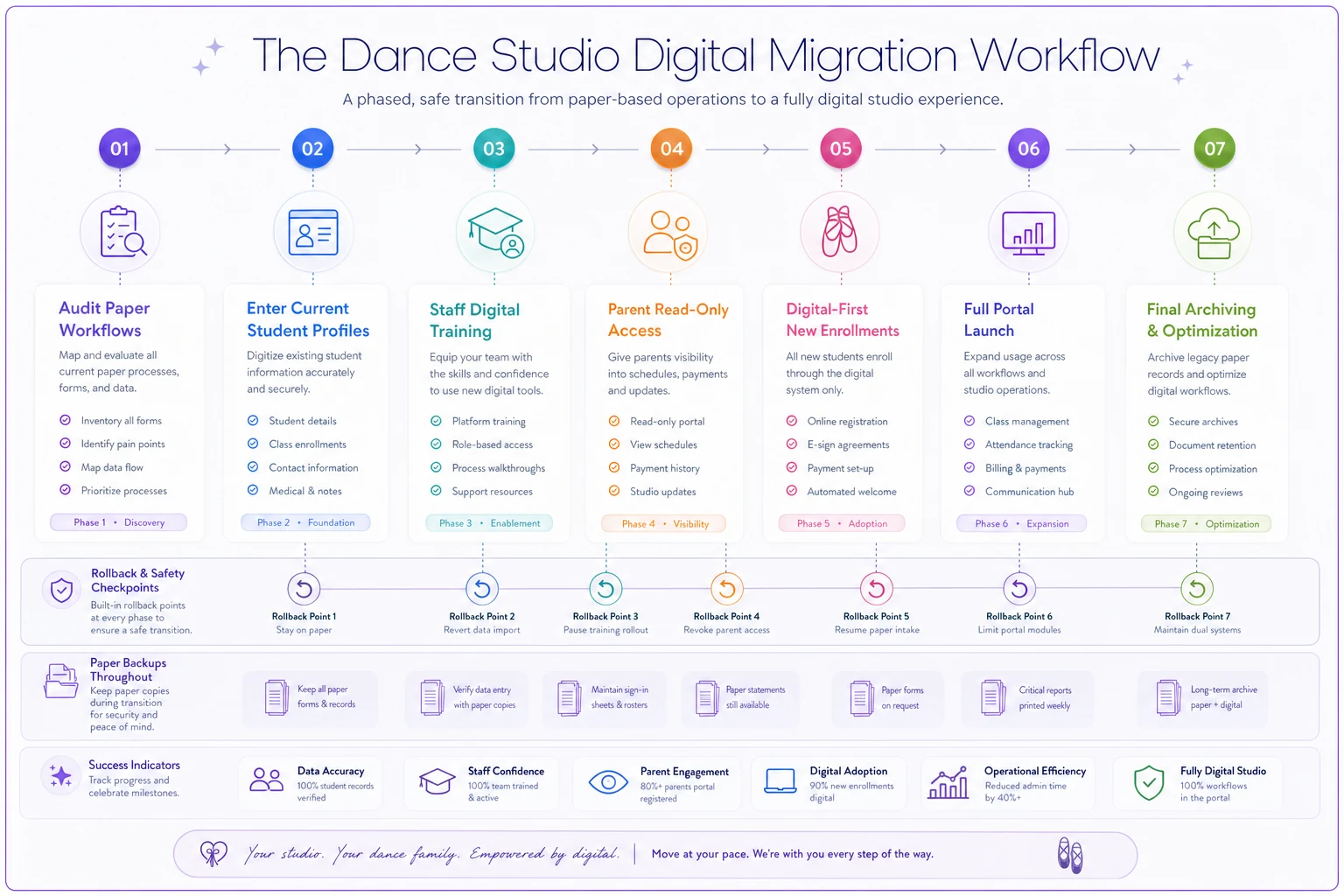
Here's a simple visual to keep on hand as you move through phases.
Phase 3: Parent read-only access (Weeks 5-6)
Give parents view-only access to schedules, attendance, and basic account information. Don't enable payments, enrollments, or communication features yet. Send access credentials with clear instructions: "You can now view Jordan's schedule and attendance online. No action required — we're still handling all changes at the desk."
This cuts the support burden significantly. Parents explore the system without pressure to complete transactions. They get comfortable logging in and finding information while you still control all data changes.
Monitor adoption closely. If fewer than 40% of parents log in within the first week, your communication wasn't clear enough. More than five password reset requests daily suggests your login process is too complicated.
Success milestone: 60% of active families have logged in at least once, and desk questions about schedules drop by 30%.
Phase 4: New enrollments go digital-first (Weeks 7-8)
New students register directly into the digital system — no paper forms for fresh enrollments. This tests your complete workflow without touching existing data. New families don't know your old system, so they won't notice a change.
Keep a paper backup form for technical failures, but aim to process 90% of new enrollments digitally. Track the time difference: digital enrollment should take under 5 minutes versus your previous 8-10 minute paper process.
Your registration computer needs to be ready. Clear browser cache daily, keep passwords saved, have a backup device nearby. Technical hiccups during enrollment create terrible first impressions.
Success milestone: process 20 consecutive new enrollments digitally without reverting to paper, each under 5 minutes.
Data mapping that prevents migration disasters
Before moving historical data, create a clear mapping structure. This isn't just copying paper to digital — it's organizing information for better operations going forward.
The clean-up column is where studios usually come apart. They try to migrate everything exactly as it exists on paper — including outdated information, duplicates, and outright errors. Use migration as an opportunity to fix long-standing data problems instead.
| Paper Location | Digital Field | Priority | Clean-up Needed |
|---|---|---|---|
| Pink registration cards | Student profiles | Critical | Merge duplicates, update expired contacts |
| Payment ledger | Transaction history | High | Match to correct families, clarify partial payments |
| Medical binder | Health alerts | Critical | Verify current conditions, remove expired forms |
| Costume measurements | Custom fields | Medium | Only keep current year |
| Recital photos | Document storage | Low | Scan favorites only |
| Old attendance sheets | Historical data | Low | Keep summary only |
For student records, establish a single source of truth. If Jenny Johnson appears three times in your files, research which record is correct before migrating. Call the family if needed. It's better to have 150 accurate records than 200 questionable ones.
Payment histories need special attention. Don't migrate amounts that don't reconcile. If your paper shows $3,200 in payments but you can only verify $2,950, migrate the verified amount and note the discrepancy. Investigate later without corrupting your new system.
Medical information requires verification before migration. That peanut allergy noted in 2019 — is it still relevant? That inhaler note — is the prescription current? Send a medical update form to all families before migrating health data. Yes, it's extra work, but it prevents liability issues and ensures instructors have accurate safety information.
Staff training that actually sticks
Traditional software training fails because it's too abstract. Instead of teaching features, teach specific workflows your staff already performs.
Don't say: "Here's how to use the attendance module."
Say: "Here's how to take attendance for your Tuesday ballet class."
Create role-specific training. Your desk staff needs different skills than instructors. The owner needs different features than assistants. Generic training wastes everyone's time.
For desk staff, focus on the five tasks they do most often: checking students in, answering schedule questions, processing payments, updating contact information, and handling enrollments. Practice each with real scenarios. "Mrs. Chen is here to pay February tuition and asks about summer camp. Show me how you'd handle this."
For instructors, keep it simple. Attendance, medical alerts, and class rosters — that's it initially. Don't overwhelm them with features they won't use. Once they're comfortable with basics, add communication tools or progress tracking.
Build confidence through repetition, not documentation. Nobody reads user manuals. Have each staff member complete the same task five times in a row. By the fifth time, it's muscle memory.
Rollback contingencies and parallel operations
Every phase needs a clear rollback plan. Not because you expect failure, but because having an exit strategy reduces anxiety and actually allows bolder progress.
-
Digital system is inaccessible for more than 2 hours during operating hours
-
More than 3 staff members can't complete basic tasks after training
-
Parent complaints exceed 10 in a single week
-
Any financial discrepancy over $500
-
Missing critical data that affects safety or operations
Parallel operations mean maintaining paper backups during transition. Yes, it's double work temporarily. But it's the difference between a minor inconvenience and a real crisis when something goes wrong — and something usually does.
Keep paper attendance sheets for two weeks after going digital. Print daily enrollment reports. Maintain a physical contact binder for emergencies. These aren't permanent — they're insurance during the transition.
Real migration timeline from a 200-student studio
A ballet and contemporary studio in the suburbs with around 200 students and seven instructors completed this migration recently. They started in September, planning to be fully digital before Nutcracker season.
Week 1-2: Entered basic profiles for all current students. Time invested: about 8 hours total. No parent involvement yet.
Week 3-4: Instructors started digital attendance with paper backup. Initial resistance from two older instructors was resolved with one-on-one training. Average time to record attendance: 45 seconds per class.
Week 5-6: Parents received view-only access. 72% logged in within the first week. Support calls: around 15 total, mostly password resets.
Week 7-8: New enrollments went digital-first. Processed 31 new students without reverting to paper. Enrollment time dropped from 12 minutes to roughly 5 minutes on average.
Week 9-10: Migrated payment processing for new charges only. Historical payment data stayed on paper for reference. No financial discrepancies reported.
Week 11-12: Opened the parent portal fully — payments, enrollment changes, communication. Desk interruptions dropped roughly 40%. Staff reported saving around 6 hours weekly on administrative tasks.
They kept paper backups through December, then archived them in January. Total cost: $240/month for software, about 40 hours of migration work spread across three months. Time saved after full implementation: roughly 10-12 hours weekly across all staff.
When to stay partially paper-based
Not everything needs to be digital. Some paper systems work perfectly and don't need to be forced into software.
-
Quick student check-in lists at the door
-
Recital lineup notes during rehearsals
-
Costume fitting measurements on-site
-
Emergency contact sheets in each studio
-
Temporary schedule changes on bulletin boards
The goal isn't to eliminate all paper — it's to digitize workflows where technology genuinely improves operations. If your paper birthday calendar on the wall works great, keep it. If instructors prefer physical choreography notes, let them.
Time-savings milestones to track progress
Measure migration success through time saved, not features adopted. Track specific operational improvements:
Month 1 targets:
-
Student lookup
from 30 seconds (paper) to 5 seconds (digital)
-
Attendance recording
from 2 minutes to 45 seconds per class
-
New family enrollment
from 12 minutes to 6 minutes
Month 2 targets:
-
Payment processing
from 3 minutes to 90 seconds
-
Schedule questions
50% handled through parent portal
-
Contact updates
parents do themselves, saving about 5 minutes per change
Month 3 targets:
-
Monthly billing
from 4 hours to 45 minutes
-
Class rosters
instantly available vs. 2 minutes to locate
-
Medical alerts
automatic vs. checking a separate binder
These aren't arbitrary metrics. When you save 30 seconds per student lookup and handle 40 lookups daily, that's 20 minutes recovered. Scale that across all operations and you're getting hours back every week.
[Audit paper workflows] → [Enter current student profiles] → [Staff digital training] ↓ [Parent read-only access] → [Digital-first new enrollments] → [Full portal launch] ↓ [Archive paper backups] → [Ongoing digital operations]
Choosing the right system for phased migration
Not all studio management platforms support gradual migration. Some require a complete data import upfront. Others don't have parallel operation capabilities. The right system lets you adopt incrementally, maintains data integrity during transition, and gives you rollback options.
Look for platforms built for incremental adoption. They should let you use just attendance tracking for weeks before adding billing. They should allow paper backup exports at any time. They should support partial data — a student can exist with just a name and contact, with details filled in later.
AI-powered operational software can smooth the transition by automating data entry, identifying duplicates, and flagging inconsistencies. Instead of manually entering 200 student records, some platforms can parse uploaded spreadsheets or scanned documents, cutting migration time from days to hours. The key is finding platforms built for real studio operations, not generic business software that's been stretched to fit.
The migration should feel like renovation, not demolition. You're upgrading your operational infrastructure while keeping daily business running. Each phase builds on the last, creating momentum without overwhelming your team or your families.
Your migration starts with a single student profile
Don't wait for the perfect time — it doesn't exist. Start this week by entering just your newest enrolled student into a digital system. Test the workflow with one record. See how long it takes. Identify what information you're missing. Notice what questions your staff will ask.
That single profile teaches you more about migration requirements than hours of planning. It reveals the gap between your paper reality and digital needs. It shows you which data matters operationally and which is just historical clutter.
From there, expand gradually. Add five more students. Then a full class. Then a full day. Each expansion surfaces new challenges while they're still manageable. By the time you're ready for full migration, you've already solved most problems at small scale.
The studios that successfully make this transition don't do it through heroic weekend efforts or expensive consultants. They do it through methodical, phased approaches that respect how a working studio actually operates. They measure progress in time saved, not features implemented. They keep quality instruction running while building digital capabilities on the side.
Your paper system got you this far. It deserves a respectful transition, not a chaotic replacement. Take it slow, measure everything, and keep dancing through it. The parents won't notice the change if you do it right — they'll just notice that everything runs smoother.
Ready to elevate your studio operations?
Join 500+ studios using Movioly to save time, reduce admin workload, and enhance student experiences.