

Nobody opens a dance studio because they love paperwork. But recital music sits in this weird gap where most owners assume someone else is handling it — the choreographer, the music editor, the venue, "the licensing people" — and then nobody actually is. You find out in June, after programs are printed and the livestream link is already sent to 200 families.
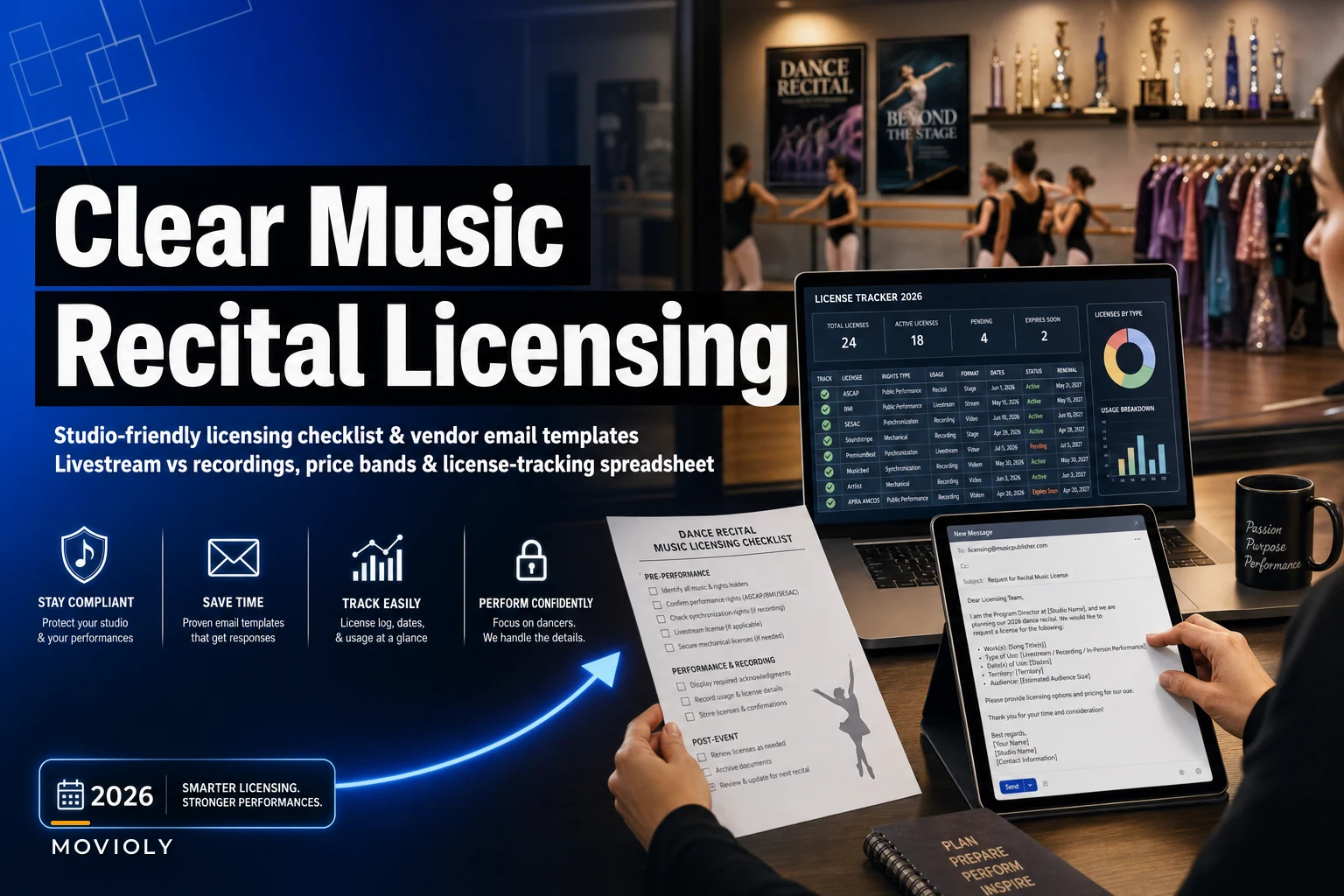
This checklist is built to stop that scramble. It's not legal advice, and it won't turn you into a copyright lawyer. What it will do is give you a repeatable system: who to contact, what each type of clearance roughly costs, how livestreaming changes the math, and a tracking sheet so you stop losing track of which of your 37 recital numbers is actually cleared.
Why recital music licensing quietly becomes a mess
The reason this goes sideways isn't ignorance — most owners vaguely know licensing exists. The problem is structural. Recital music gets chosen by lots of people at different times.
A typical season looks like this: your ballet instructor picks her pieces in September, the hip-hop teacher swaps her track three times before February, two competition routines get reused for the spring show, and a parent volunteer edits a medley at the last minute because the original was "too long." By the time you sit down to sort out licensing, you're staring at a spreadsheet with 40 songs, half of them labeled "track 4 FINAL v2.mp3."
There's also a persistent myth that buying a song on iTunes or having a Spotify Premium account "covers" you for a public performance. It doesn't. A personal purchase covers personal listening. A ticketed recital in a rented theater, streamed online, with a recording sold afterward — that's a completely different animal involving different rights holders.
And the part that trips people up most: performing live and selling a recording are two separate permissions. You can be perfectly fine performing a song onstage and still be exposed the second you post that clip to YouTube or sell a DVD.
The three layers of rights you're actually dealing with
Before the checklist, you need the mental model. Recital music usually touches three separate things:
Eliminate scheduling headaches and missed payments.
Movioly streamlines booking, confirming, and managing every class with ease.
- Unified class and instructor scheduling
- Automated student notifications
- Integrated payment tracking
No credit card required
-
The public performance right — playing the music live in front of an audience. For most studios performing in a venue, this is often covered by the venue's blanket license (ASCAP/BMI/SESAC). Always confirm, never assume.
-
The synchronization ("sync") right — pairing recorded music with video. This is what you need the moment you livestream or record. Venue blanket licenses almost never cover this.
-
The mechanical/master right — reproducing and distributing copies (selling a recording, a download, a DVD). Separate again.
The most common pattern: studios that are totally fine on the live performance side get caught on sync and mechanical because they added a livestream "just for grandparents who can't travel." That one decision changes your whole licensing picture.
If you're already thinking about recordings and families filming the show, it pairs closely with how you handle photo and video permissions — worth lining up alongside your media-consent templates and retention schedules so everything moves as one process instead of three separate headaches.
The core recital music licensing checklist
Work through this in order. Start it the week you lock your recital date, not the week of.
-
Confirm the venue's blanket performance license. Email the venue manager and get it in writing. Note which PRO(s) it covers (ASCAP, BMI, SESAC). If the venue has none, you may need your own event performance license.
-
Decide your distribution scope now. Are you performing live only? Livestreaming? Selling a recording? Each "yes" adds a rights layer. Write down the answer before choreographers get attached to tracks.
-
Build your master song list early. One row per routine. Song title, artist, songwriter/publisher, class, length used.
-
Flag anything edited or remixed. Custom edits and mashups complicate clearance — each underlying song still needs permission.
-
Identify the rights holders for each song. Publisher for the composition, record label for the master recording.
-
Request sync/reproduction permission for every recorded or streamed number. This is the step most studios skip.
-
Keep every approval in writing. A forwarded email saying "yes, go ahead for $X" is your proof. Verbal is worthless when a claim hits.
-
Set a hard cutoff for music changes. No new songs after your clearance deadline, full stop.
-
Save receipts and license PDFs in one folder. Named by routine, not by whatever random filename the editor sent you.
-
Check your streaming platform's content-ID rules. Even cleared music can get auto-flagged on YouTube or Facebook. Know the dispute process before showtime.
That last point surprises people. You can have legitimate permission and still get a stream muted mid-recital because an automated system doesn't know about your private arrangement. Knowing that ahead of time is the difference between a 5-minute fix and a lobby full of confused parents staring at their phones.
Price bands for common scenarios
Numbers here vary a lot by song popularity, rights holder, and audience size — a Taylor Swift master will never cost what an indie track costs. But studios keep asking for ballparks, so here are realistic ranges based on common small-studio scenarios. Treat these as planning estimates, not quotes.
| Scenario | What you typically need | Rough cost band (per song) |
|---|---|---|
| Live performance, venue has blanket license | Nothing extra (confirm in writing) | $0 |
| Live performance, no venue license | Your own event performance license | ~$50–$300 total event |
| Livestream (no recording sold) | Sync permission | ~$75–$400 |
| Recorded & sold (DVD/download) | Sync + mechanical/master | ~$150–$600+ |
| Popular/major-label track for stream + sale | Sync + master, major publisher | ~$500–$2,000+ |
| Royalty-free / production music library | Single license covering most uses | ~$15–$100 |
The pattern worth internalizing: a studio running a 35-number recital with a livestream and recording sales can easily look at a few hundred dollars if they lean on royalty-free music, or several thousand if every routine uses current chart hits. The cheapest lever you have isn't negotiation — it's song choice. Steering a couple of numbers toward licensed production music can cut your total clearance bill more than any vendor email ever will.
Livestream vs. recorded-sales: two different workflows
These get lumped together and they shouldn't be.
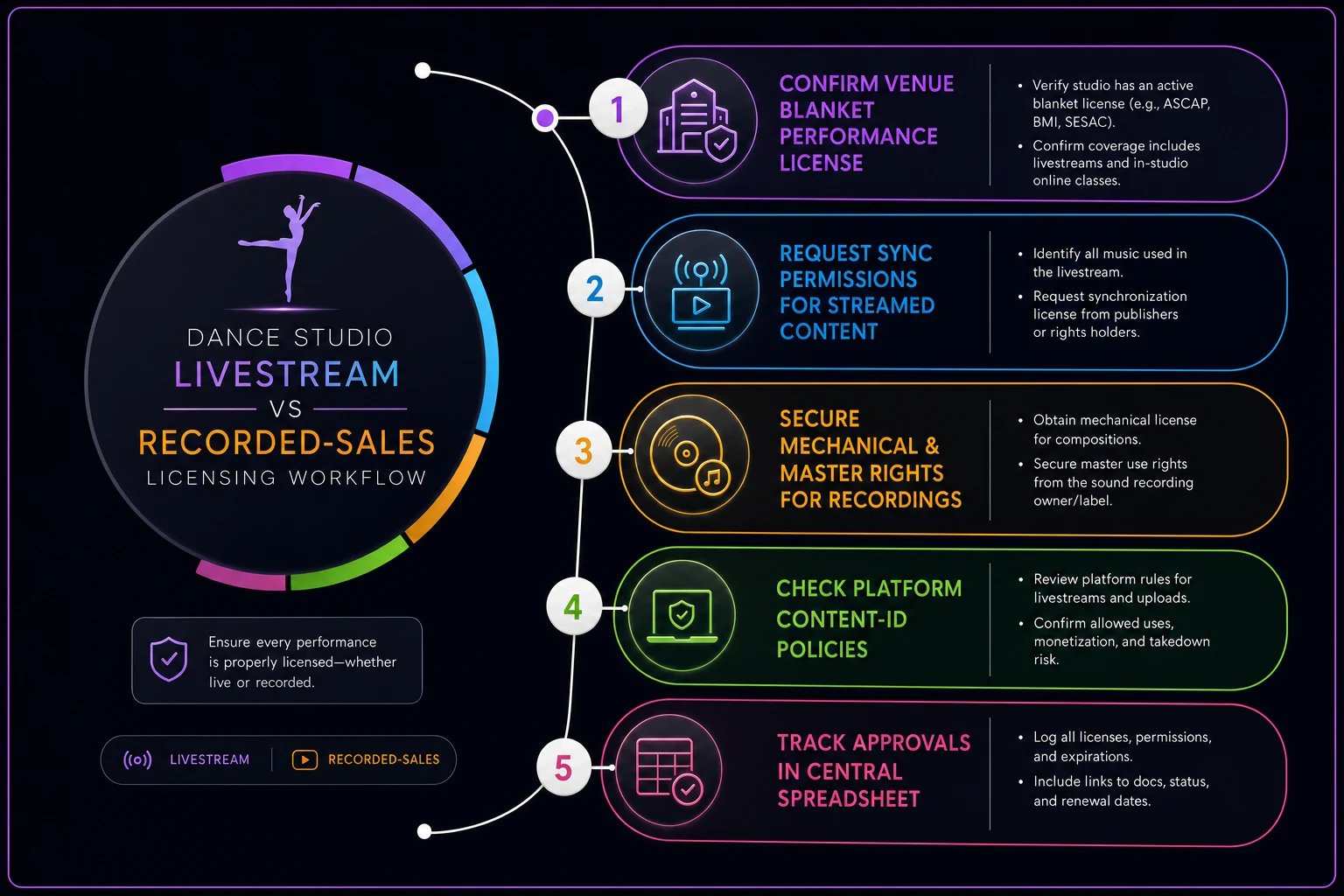
Livestream-only workflow (free to families):
-
Confirm live performance is covered by the venue.
-
Request sync permission for each streamed song (because video + music = sync).
-
Note your platform's content-ID risk and pre-file any whitelist/dispute info you can.
-
Keep the stream private or unlisted if your permissions are limited to your community.
-
Archive or take down the recording after the agreed window if your permission was event-limited.
Recorded-sales workflow (you're selling copies):
-
Everything in the livestream workflow, plus
-
Secure mechanical/master reproduction rights for each song.
-
Confirm how many copies you're allowed to distribute — some licenses cap quantity.
-
Build the license cost into your DVD/download price so you're not selling at a loss.
-
Track sales against any quantity limit.
Here's a quick workflow diagram to visualize the steps you need for each distribution choice.
A quick reality check on that last point: if you're clearing music at $4–$8 per copy in combined rights and selling downloads at $20, your margin is fine. But studios that don't calculate this end up pricing recordings at $12, paying $7 in rights, and wondering why the whole thing wasn't worth the trouble.
Copy-paste vendor outreach emails
Steal these. Adjust the brackets. The goal is to sound organized and make it easy for the rights holder to say yes.
Email 1 — Venue blanket license confirmation
> Subject: Performance license confirmation — [Studio Name] recital on [Date] > > Hi [Venue Contact], > > We're holding our annual recital at [Venue] on [Date]. Could you confirm in writing whether the venue holds blanket public performance licenses (ASCAP / BMI / SESAC) that cover recorded music played during ticketed events? If there are any gaps we'd need to cover ourselves, I'd appreciate knowing now so we can arrange it. > > Thanks so much, > [Name], [Studio Name]
Email 2 — Sync/recording permission to a publisher or label
> Subject: Sync & recording permission request — small dance studio recital > > Hi [Rights Holder], > > I run [Studio Name], a dance studio in [City]. We'd like to use "[Song Title]" by [Artist] in our student recital on [Date]. We're planning to: > - [livestream the performance to families / sell recorded copies to families / both] > - approximate audience/distribution: [number] > > Could you let me know the process and cost for the appropriate sync and/or reproduction rights for this use? Happy to provide any details you need. > > Thank you, > [Name], [Studio Name], [Phone]
Email 3 — Royalty-free / production library follow-up
> Subject: License scope question — recital video use > > Hi [Library Support], > > I'm using tracks from your catalog for a dance recital. I want to confirm the license I purchased covers: (1) live performance, (2) livestreaming the performance, and (3) selling recorded copies to attending families. If any of these needs a separate or upgraded license, please point me to it. > > Thanks, > [Name]
The reason these work: they state your exact use upfront. Vague requests ("can I use your song?") get ignored or bounced around. Specific ones get answered because the rights holder can price it immediately.
The license-tracking spreadsheet
This is the part that actually saves your sanity. One sheet, updated as you go. Columns to include:
-
Routine name / class
-
Song title
-
Artist
-
Songwriter / publisher
-
Master owner (label)
-
Use type (live / stream / sale)
-
Rights needed (performance / sync / mechanical)
-
Contact person & email
-
Date requested
-
Status (Not started / Requested / Approved / Denied / Needs swap)
-
Cost
-
Proof saved? (link to the folder)
Color-code the Status column — one glance tells you how many routines are still red two weeks out.
Color-code the Status column. The visual matters more than it sounds — one glance tells you how many routines are still red two weeks out, which is exactly the number that keeps owners up at night.
One ownership rule makes this work: one person owns the sheet. Not the choreographers, not a committee. Rights clearance falls apart when it's everyone's job, because then it's effectively nobody's. Whoever owns the tracking sheet also owns the music-change cutoff.
A real scenario: the livestream that got muted
A mid-size studio — roughly 180 students, a 32-number spring recital — had done live-only recitals for years with zero issues because their rented theater carried blanket PRO licenses. Fine. Covered.
Then they added a livestream so out-of-state grandparents could watch. Nobody re-checked the licensing, because "we've always been fine." Three numbers into the stream, two routines got automatically muted by the platform's content-ID system — both using current pop songs the studio had never cleared for sync. Families watching remotely saw silent dancing. The replay got flagged and taken down within a day.
The fix going into the next season wasn't complicated, just organized: they built the tracking sheet, confirmed the venue license in writing, cleared sync on the handful of commercial tracks (about $600 total), and swapped four routines over to production-library music to hold costs down. Total licensing spend landed under $1,000 for the whole show, the stream ran clean, and they added paid recording downloads the following year as an actual revenue line instead of a liability.
The lesson wasn't "licensing is expensive." It was that adding a stream quietly changed everything about what permissions they needed, and no system was in place to catch it.
When to lean harder on this (and when not to)
This full process makes sense when: you're streaming, selling recordings, using commercial or chart music, or performing in a venue without its own blanket license. The more distribution and the more popular the songs, the more rigor you need.
You can keep it light when: you're performing live only, in a venue with confirmed PRO coverage, and you're not recording for distribution. Confirm the venue license, keep a basic song list, and you're largely in good shape.
Who should not wing it: any studio adding streaming or paid recordings for the first time. That's the exact transition where "we've always been fine" stops being true.
Fitting this into your recital season
Licensing isn't a standalone task — it lives inside the broader crunch of rehearsals, costumes, scheduling, and keeping regular classes from getting swallowed by recital chaos. The cleanest approach is to attach your clearance deadline to the same timeline you already use to protect regular classes during recital season, so music changes lock when choreography locks. One cutoff, one owner, one sheet.
Start the venue confirmation email the day your date is set. Lock your music list well before programs print. And the single idea that prevents almost every licensing fire: the moment you decide to livestream or sell a recording, you've changed what permissions you need — so update your checklist the same day you make that call.
Start the venue confirmation email the day your date is set. Lock your music list well before programs print. And the single idea that prevents almost every licensing fire: the moment you decide to livestream or sell a recording, you've changed what permissions you need — so update your checklist the same day you make that call.
Ready to elevate your studio operations?
Join 500+ studios using Movioly to save time, reduce admin workload, and enhance student experiences.