

Most studios don't have a portal problem. They have an activation problem. The software is sitting there, fully paid for — schedule, payment history, attendance, recital info — and roughly half the families never log in past the first week. Then the front desk spends the rest of the season re-answering questions the portal already answers.
That gap between "we bought it" and "parents actually use it" is where parent portal adoption quietly dies. And it rarely dies loudly. It dies as a slow drift back to texting the owner's personal phone at 9pm.
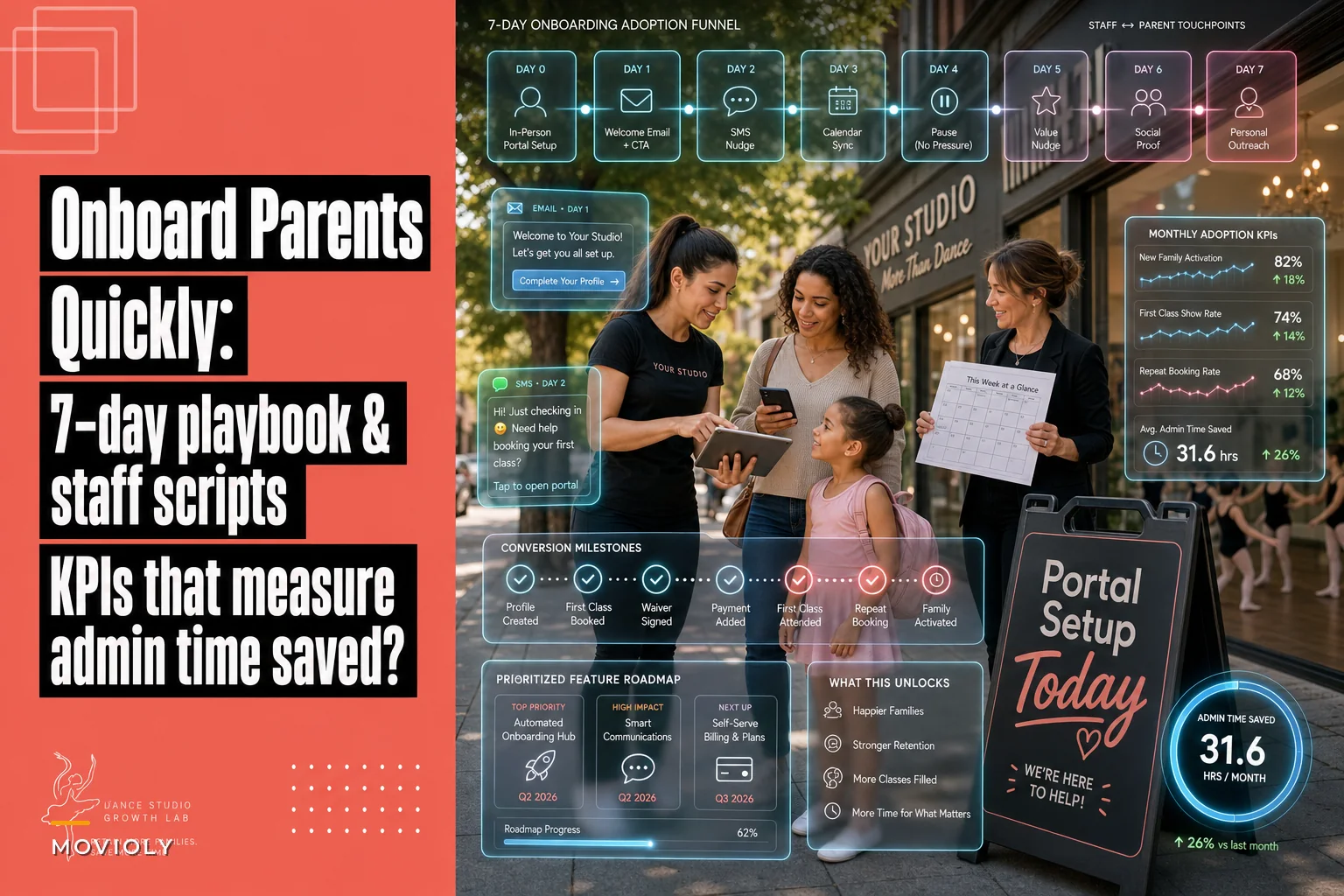
This is a playbook to close that gap in seven days. It includes scripts your staff can read off a card, a feature-priority order that matters more than most people think, and monthly KPIs tied to one number owners actually feel: admin time saved.
Why portals stall even when the software is good
The usual assumption is that parents are "not tech-savvy." That's mostly wrong. The same parent who won't log into your portal is managing three other apps for their kid's soccer league, school lunch account, and pediatrician.
-
No forcing function. Nothing the parent needs is only available in the portal. If they can still text and get an answer, they will.
-
First login friction. The welcome email arrives during the busiest enrollment week, gets buried, and the password reset flow never gets completed.
-
Staff undermine it. The front desk answers portal-answerable questions out of politeness, which trains families never to open the app.
-
Too much at once. The studio tries to launch payments, attendance, messaging, and video libraries simultaneously. Parents bounce.
In practice, the pattern looks like this: a studio emails a login link on registration day, around 40% of families click it, maybe 25% actually set a password, and by week three only the parents who had a billing question ever came back. Adoption flatlines around 30–35% and the staff quietly accepts it.
The fix isn't more features. It's sequencing — both the parent sequence and the staff behavior behind it.
The feature prioritization order (this matters more than the emails)
Before you send a single onboarding message, decide which one portal feature becomes the parent's reason to log in. Launching everything at once is the most common adoption mistake studios make.
Eliminate scheduling headaches and missed payments.
Movioly streamlines booking, confirming, and managing every class with ease.
- Unified class and instructor scheduling
- Automated student notifications
- Integrated payment tracking
No credit card required
Prioritize by how often a parent needs the thing, not by how impressive it looks in a demo.
| Feature | How often a parent needs it | Adoption value | Launch priority |
|---|---|---|---|
| Billing / autopay / invoices | Monthly, high stress | Very high | 1 — lead with this |
| Class schedule + calendar sync | Weekly | High | 2 |
| Absence / makeup requests | A few times a season | Medium-high | 3 |
| Announcements / messaging | Studio-driven | Medium | 4 |
| Recital info & costume sizing | Seasonal spikes | High in-season | Launch seasonally |
| Progress reports / video | Occasional | Low-medium | Last |
The insight most owners miss: billing is the best adoption hook, not the scariest one. Parents are motivated to log in when money is involved. If the portal is the only clean place to see what they owe, update a card, or grab a receipt for a flex-spending claim, they'll create that account fast.
Progress videos and fancy dashboards feel like the exciting features, but they don't compel a login. Save them for later — they become a nice reason to stay engaged once the account already exists.
The 7-day onboarding sequence
The goal of these seven days is narrow: get the family to (1) log in, (2) set autopay or confirm billing, and (3) do one more small action so the habit forms. That's it. Everything else is a bonus.
DAY 0 DAY 1 DAY 2 DAY 3 DAY 4 DAY 5 DAY 6 DAY 7 ───────── ───────────── ──────────── ───────────── ──────── ────────────── ────────────── ────────────────── In-person → Welcome email → Text nudge → Schedule hook → No msg → Value nudge → Social proof → Personal outreach setup + autopay CTA (non-logins) + calendar sync (makeup flow) + soft prompt (staff-led, by hand)
Have staff set the password in front of the parent at Day 0 to eliminate friction.
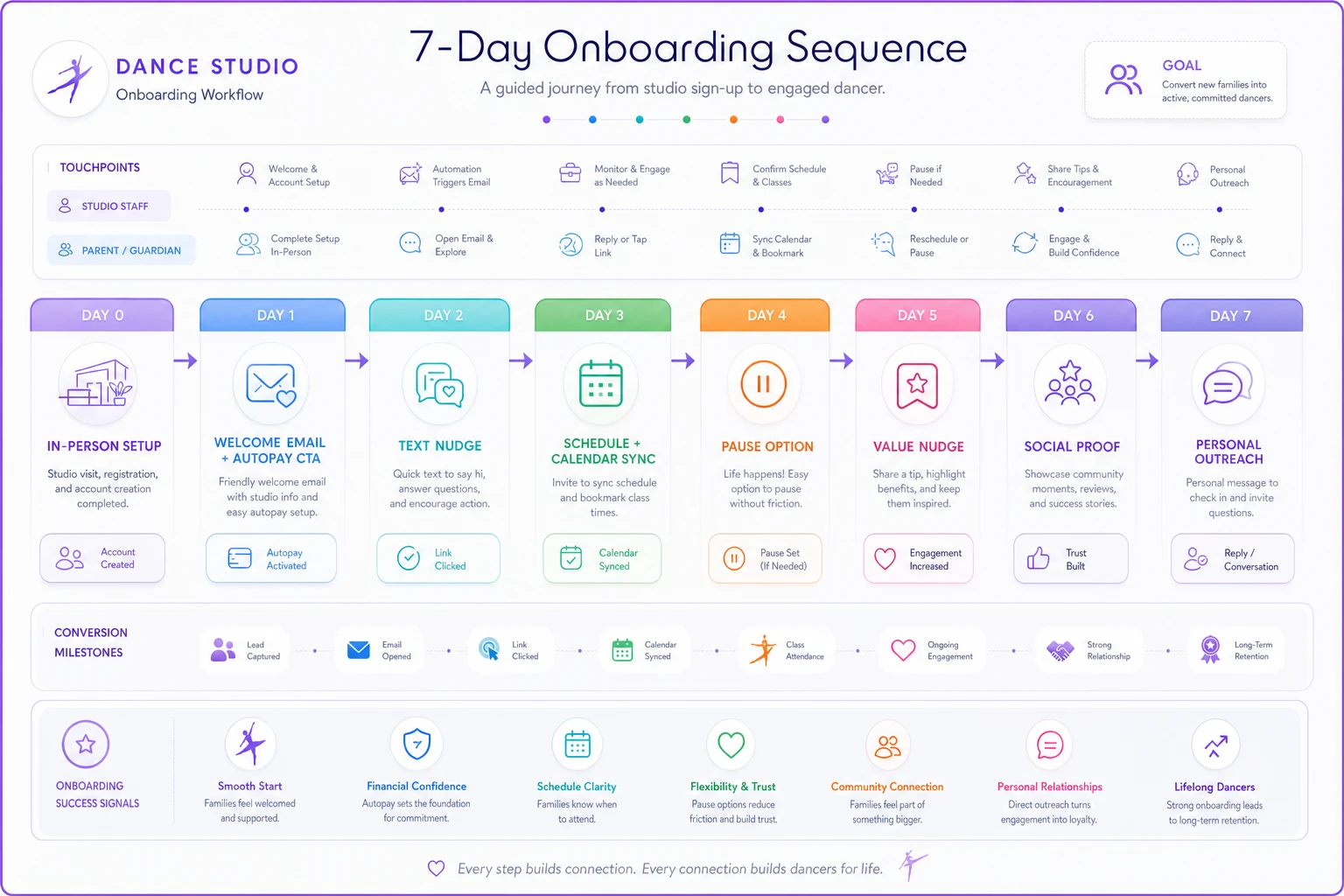
Here's a quick visual of the sequence.
Day 0 — Registration moment (in person or at checkout)
The single highest-converting moment is when a parent is standing at your desk or finishing online registration. Don't send them home to "set it up later." Later never comes.
Staff script at the desk: > "One last thing — let's get your portal set up right now, takes about 90 seconds. This is where you'll see your bill, your class times, and anything about recital. Can you pull up the email I just sent? Perfect." Have them set the password in front of you. Account created, friction gone.
Day 1 — Welcome email + first task
Short email. One button. One job: confirm autopay. > Subject: You're in — one quick thing to finish > > Hi [Parent], welcome to [Studio]! Your portal is where everything lives — bill, schedule, recital updates. Take 60 seconds to confirm your payment method so you never miss a class over a billing hiccup. [Confirm Autopay →]
Day 2 — Text nudge (only to non-logins)
Short, human, from the studio number. > Hey [Parent], it's [Studio] — noticed you haven't finished your portal setup. Quick link here so your schedule and billing are all in one spot: [link]. Reply here if it gives you any trouble!
Day 3 — The schedule hook
Now that billing is handled, pull them in with the thing they'll use every week. > Subject: Add [Child]'s classes to your phone calendar > > Tap here to sync [Child]'s class times straight to your calendar — no more screenshots. [Sync Schedule →]
Day 4 — Rest / no message
Resist the urge to email daily. Over-messaging kills open rates. A quiet day keeps you out of the spam folder.
Day 5 — The "did you know" value nudge
> Subject: Need a makeup class? Do it in two taps > > If [Child] ever misses a class, you can request a makeup right from the portal instead of texting us. Here's how: [link].
Day 6 — Social proof + light accountability
> Most of our families are now using the portal for schedules and billing — it's made pickup and payments a lot smoother. If you're stuck on login, just reply and we'll sort it in a minute.
Day 7 — Last-touch personal outreach
This one is a staff task, not an email. Pull the list of families who still haven't logged in and have the front desk make a 2-minute call or personal text. By now the list should be small enough to handle by hand. > "Hi [Parent], just making sure your portal is working on your end — want me to walk you through it when you drop off today?"
The sequencing logic here mirrors what works in the broader enrollment journey — if you want the full enrollment-side version, the day-by-day trial onboarding funnel covers how to convert families before this portal stage even begins.
Staff signup scripts — the part everyone skips
Your staff is the biggest threat to portal adoption. Every time the front desk cheerfully answers "what time is tap on Thursday?" over text, they teach that parent the portal is optional.
Two behaviors from staff, and both need scripts.
1. The redirect script (when a parent asks something the portal answers):
> "Great question — that's actually right in your portal under Schedule, and it'll always be the most up-to-date version. Want me to show you where it is real quick so you have it going forward?" It doesn't refuse to help. It helps and trains. That combination is what actually changes behavior.
2. The in-person setup script (covered in Day 0 above) — make it part of every registration checklist so no family leaves without an active account.
Studios that enforce the redirect script consistently hit 70%+ adoption within a season. Studios that "offer" the portal but still answer everything manually stay stuck in the 30s. Same software. Completely different result. The difference is entirely staff behavior.
Brief your staff on why this matters too. If they think the redirect is about being lazy or cold, they won't do it. Frame it honestly: fewer scattered texts means fewer dropped balls, fewer "I never got that message" disputes, and more time for the kids in front of them.
Monthly health KPIs tied to admin time-saved
Adoption percentage alone is a vanity metric. What owners actually care about is whether they're getting their evenings back. So tie your portal KPIs to admin time.
-
Active login rate — % of active families who logged in within the last 30 days
-
Autopay enrollment % — portal-driven payments vs. manual chasing
-
Self-service actions — makeup requests, card updates, schedule syncs done without staff involvement
-
Inbound message volume — texts and calls to the studio for portal-answerable questions (this should drop)
-
Admin minutes saved — the number that ties it all together
How to calculate admin minutes saved (worked example)
You don't need fancy analytics. Just estimate it.
| Task replaced | Minutes per occurrence |
|---|---|
| Answering "what's my balance" / updating a card | 6 |
| Schedule question by text | 3 |
| Processing a makeup request manually | 5 |
| Chasing a failed or late payment | 8 |
Worked example — a studio with ~180 families:
-
90 billing/card questions a month × 6 min = 540 min
-
160 schedule texts × 3 min = 480 min
-
70 manual makeup requests × 5 min = 350 min
-
40 payment chases × 8 min = 320 min
That's about 1,690 minutes — roughly 28 hours a month of pure admin friction.
After running the 7-day sequence and enforcing the staff scripts, adoption climbed to around 72%. The self-service shift cut those volumes by more than half — landing somewhere near 12–13 hours a month of work still done manually.
The measurable win was roughly 15 hours a month returned to the front desk. Not a dramatic revenue story, but 15 hours is close to two full staff shifts. It's the difference between an owner answering texts at dinner and actually being off the clock.
Once an owner sees "15 hours saved" on a monthly line, portal adoption stops being a nice-to-have and becomes something staff is actually held to. The point of the KPI isn't precision — it's visibility.
When this playbook makes sense (and when it doesn't)
When it works well:
-
You already have a portal that genuinely centralizes billing and scheduling
-
You have at least one staff member who can own the Day 7 outreach list
-
Your family base is stable enough that the habit has time to stick
When to hold off:
-
Your portal data is a mess — wrong balances, outdated schedules. Launching adoption on top of bad data trains parents to distrust it. Clean the data first.
-
You're mid-migration to new software. Wait until the new system is stable, or you'll end up onboarding parents twice.
-
Your staff won't commit to the redirect script. Without that piece, no email sequence will save you.
Who should skip it entirely: very small studios under around 40 families where the owner can genuinely handle everything by text without strain. The portal overhead may not pay off yet — though it's worth setting up before you grow, not after.
A real scenario
A suburban studio with about 210 enrolled families had a portal for two years and sat at roughly 34% active logins. The owner was fielding 20–30 parent texts a day on her personal phone, most of them schedule and billing questions.
They ran the 7-day sequence once at the start of fall term, led with autopay, and — critically — put the redirect script on a laminated card at the front desk. Within about six weeks, active logins moved into the low 70s, autopay enrollment jumped from around 55% to over 80%, and the daily text volume dropped to a handful.
The owner's own estimate afterward: she got back "most of my evenings." That's the outcome that actually matters.
The thread that ties adoption to retention
Portal adoption isn't just an admin convenience. Families who log in regularly see their schedule, their progress, their recital info — they stay more connected, and connected families re-enroll. If you're thinking about the longer arc, adoption feeds directly into the family lifecycle system for re-enrollment and alumni revenue, because an engaged portal account is one of the cleanest early signals that a family is sticking around.
Get the first seven days right, hold your staff to the scripts, and measure the hours you claw back.
Everything else about the portal gets easier once parents actually walk through the door.
Ready to elevate your studio operations?
Join 500+ studios using Movioly to save time, reduce admin workload, and enhance student experiences.