
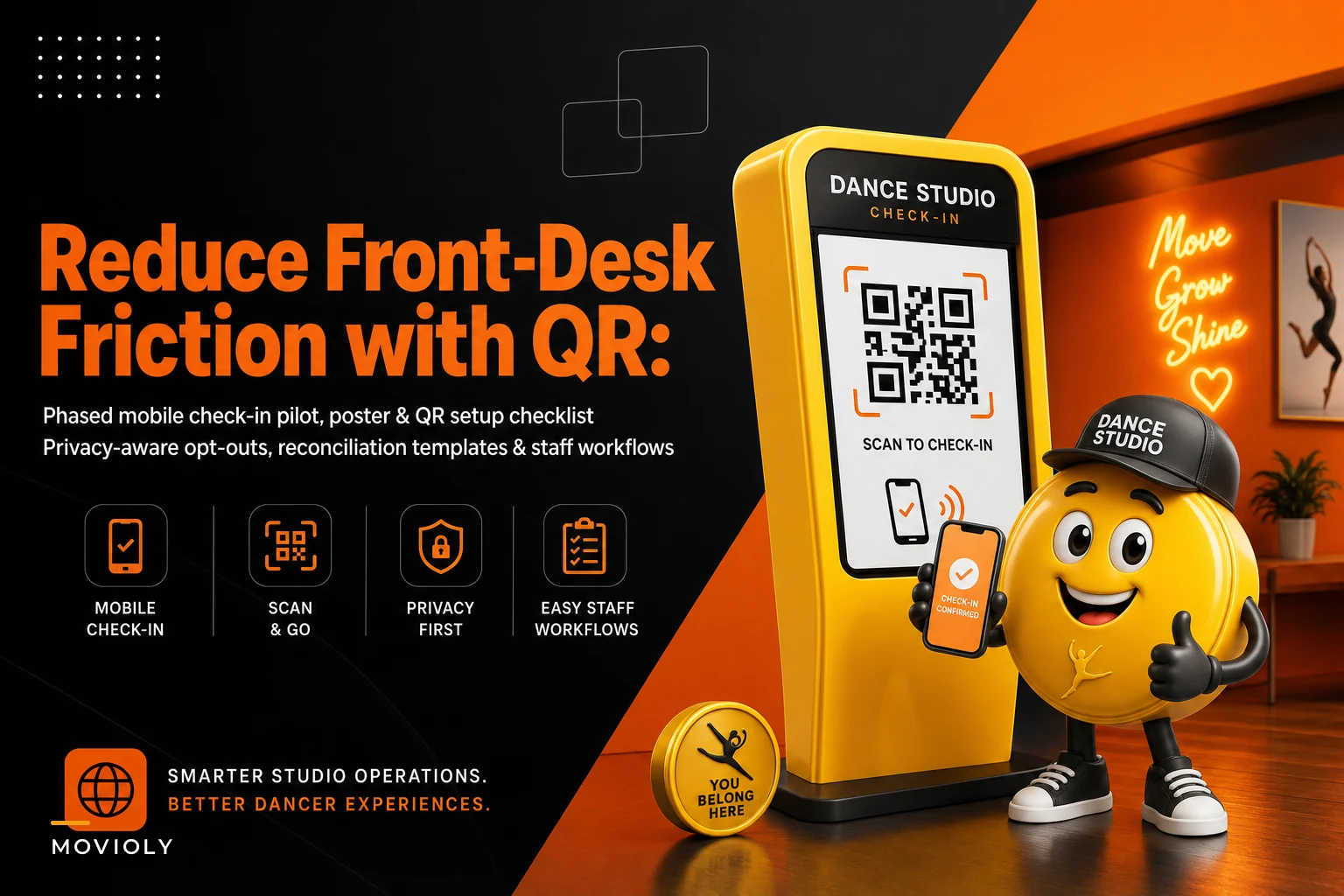

The front desk at 4:45 on a Tuesday is where most studios quietly lose fifteen minutes of calm. Two classes overlap, a parent is holding a card that won't swipe, a tween is asking where her shoes went, and your desk person is trying to mark attendance on a clipboard while answering a billing question. QR check-in is supposed to fix this. Done badly, it just adds a second broken system next to the first one.
The real risk isn't the QR code itself. It's the gap between what families scanned and what actually got recorded—and the families who can't or won't scan at all. Roll this out without reconciliation rules and a real opt-out path, and you end up with two attendance logs that disagree by October, and nobody trusts either one.
This is a tight, practical rollout plan. Poster copy, QR generation notes, a phased pilot, reconciliation templates to catch mismatches, and scripts for the no-phone families you'll absolutely have.
Start with the failure you're trying to avoid
Before the checklist, be clear about what goes wrong, because that's what the whole rollout is designed around.
-
Silent scan failures. A parent scans, the page half-loads, they walk off assuming it worked. The kid is in class but marked absent. Now your attendance early-warning system is firing false alarms on a student who's never missed.
-
The no-phone gap. Grandparent drop-offs, dead batteries, younger siblings dropped by a neighbor, families who simply don't want to scan anything. No manual fallback means these kids just don't get checked in.
-
Double-counting. Front desk marks a late arrival manually, but the parent also scanned from the parking lot two minutes earlier. Two check-ins, one student.
Every rule below exists to catch one of those three. Keep that in mind and the rollout stops feeling like busywork.
Phase 0: Generate QR codes you won't have to reprint
The most common avoidable mistake is baking a fixed URL into a printed poster, then changing your software, your class page, or your domain three weeks later. Suddenly you've got laminated posters pointing at a dead link on every studio door.
Eliminate scheduling headaches and missed payments.
Movioly streamlines booking, confirming, and managing every class with ease.
- Unified class and instructor scheduling
- Automated student notifications
- Integrated payment tracking
No credit card required
-
Use a redirect you control, not a direct link to a third-party check-in page. Point the QR at something like
yourstudio.com/checkin, then redirect that to wherever check-in actually lives. If the backend changes, you update the redirect—not the posters. -
Generate one code per studio door or per room, not one universal code. A room-specific code lets you pre-filter which classes are active, cutting the "which class are you here for?" taps that make people give up.
-
Make the codes big. A QR that scans fine at 50cm looks tiny on an actual poster. Minimum 3cm × 3cm printed, more if the poster sits above eye level.
-
Test every printed code with three different phones before the laminator touches it—an older Android, a recent iPhone, and something with a cracked screen for realism.
Test every printed code with three different phones before the laminator touches it—an older Android, a recent iPhone, and something with a cracked screen for realism.
One small thing worth doing: put a short human-readable URL under the code. People with camera issues can type it, and it makes the whole poster feel less like a guessing game.
Poster copy that actually gets scanned
Most check-in posters fail because they explain the technology instead of telling the parent what to do in the four seconds they're standing there holding a water bottle and a car key.
Primary door poster: > Checking in? > Point your camera here. Tap the link. Done. > No phone? Just tell the front desk—we've got you.
Studio-room poster (for self-check at the room door): > [Room B] Check-In > Scan → confirm your dancer's name → you're set. > Trouble scanning? Type [yourstudio.com/checkin] or ask any staff member.
Small counter card (for the desk itself): > Scanned already? You're checked in—no need to tell us twice. > This prevents the double check-in problem by telling scanners not to also ask the desk.
The "no phone? we've got you" line matters more than it looks. Without it, no-phone families feel like they're doing something wrong, and that awkwardness shows up at the desk every single week.
The phased pilot: don't roll this out studio-wide at once
Studios that flip QR on for every class in one week spend the next month firefighting. A phased pilot catches your specific edge cases—your building's wifi dead zone, your particular parent demographics—before they become everyone's problem.
-
Week 1 — Single class, staff shadowing. Pick one mid-week class with an engaged parent group. Keep the clipboard running in parallel. A staff member watches every check-in and notes where people hesitate.
-
Week 2 — Same class, measure the gap. Still running both systems. Now you're comparing the digital log against the manual log nightly (template below). Hunting for mismatches, not pushing adoption yet.
-
Week 3 — Expand to one full evening. All classes in a single busy time block. This stress-tests overlapping drop-offs and the double-count scenario.
-
Week 4 — Add the opt-out and no-phone workflow formally. By now you know who your no-phone families are. Document the fallback as an actual procedure, not a verbal habit.
-
Weeks 5–6 — Studio-wide, clipboard as backup only. Manual log still exists but is the exception path, not the primary.
Don't skip the parallel-running weeks. The whole point is proving the digital log is trustworthy before you throw away the paper one.
Pilot metrics worth tracking
You don't need a dashboard. Four numbers tell you whether this is working:
| Metric | What it tells you | Rough target by week 4 |
|---|---|---|
| Scan adoption rate | % of present students checked in via QR | 70–80% |
| Mismatch rate | % of sessions where digital ≠ manual log | Under 5% |
| No-phone fallback count | How many need the manual path | However many it is—just track it |
| Desk-time per check-in | Rough seconds spent per family | Trending down vs. clipboard baseline |
A quick visual of the phased rollout can help the team follow the sequence.
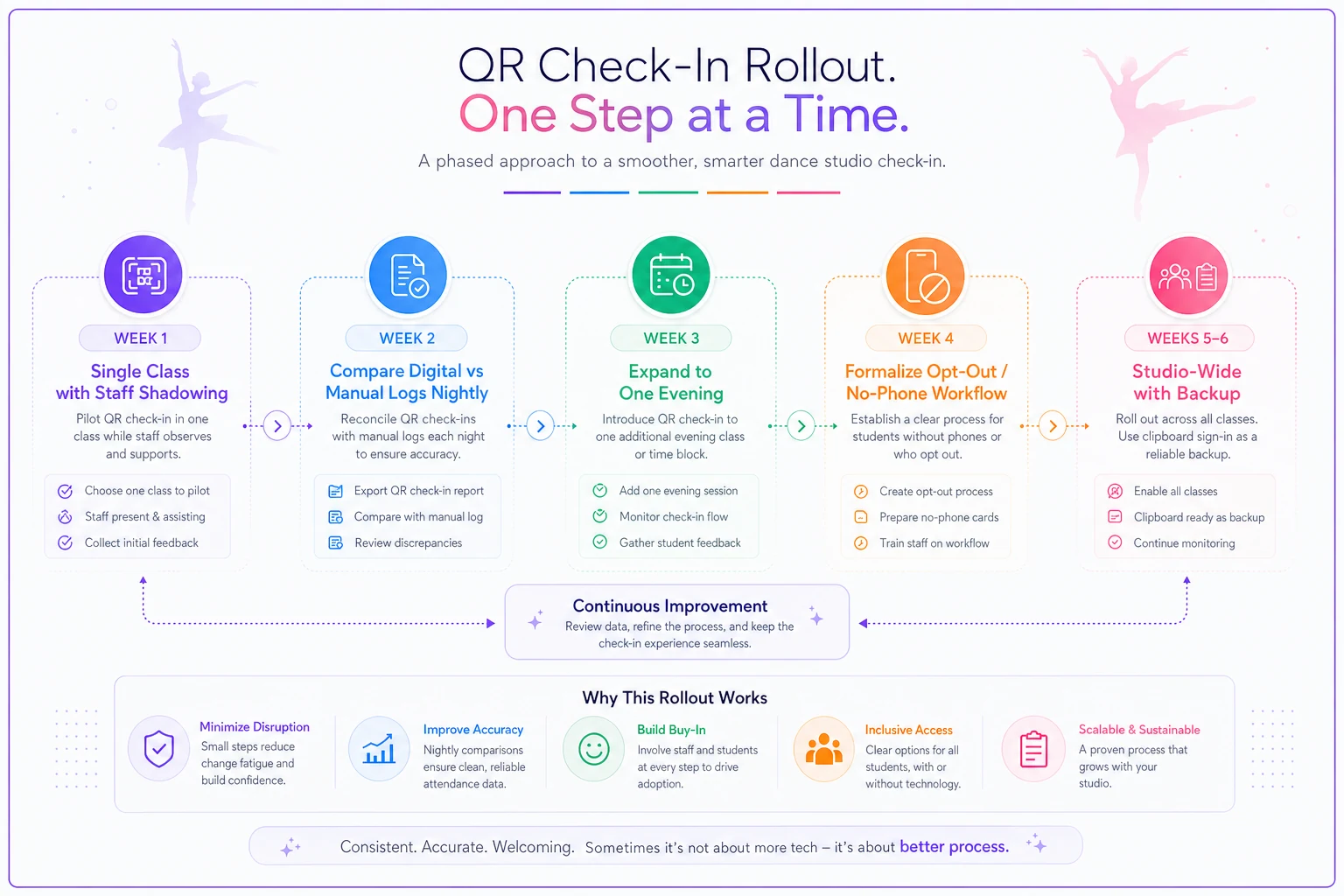
Adoption climbing while mismatches stay low is the signal you're ready to drop the clipboard. If mismatches stay stubborn above 5–6%, you have a process problem, not an adoption problem—usually silent scan failures or double-counts.
The reconciliation template (this is the actual core)
This is the part most QR rollouts skip entirely, and it's the part that saves you. During the parallel weeks, you compare the two logs and categorize every discrepancy. The goal isn't just finding mismatches—it's learning why they happen so you can fix the cause.
Nightly reconciliation table:
| Student | In digital log? | In manual log? | Mismatch type | Likely cause | Action |
|---|---|---|---|---|---|
| Student A | Yes | No | Digital-only | Scanned, desk didn't note | Trust digital, no action |
| Student B | No | Yes | Manual-only | No-phone family / scan failed | Confirm present, mark attended |
| Student C | Yes | Yes (2x) | Double-count | Scanned + desk marked | Dedupe to one |
| Student D | No | No | Ghost absence | Actually absent OR both missed | Verify with instructor |
The categories matter. A pile of "digital-only" entries is actually good news—it means the system works and the clipboard is just redundant. A pile of "manual-only" means your no-phone workflow is carrying more weight than you realized. A pile of "double-counts" means your counter card copy isn't landing.
The reconciliation rules that resolve conflicts:
-
Digital-only wins by default. If someone scanned, they were there. A scan is a stronger signal than a clipboard that didn't get updated during a rush.
-
Manual-only requires a 10-second confirm. Was the dancer actually in class? Instructor says yes, mark present—this is your no-phone catch.
-
Double-counts collapse to one check-in, keeping the earliest timestamp.
-
Ghost absences (neither log) get verified before any outreach goes out—you don't want your dropout early-warning outreach texting a parent whose kid attended but got missed by both systems.
Run this nightly during the pilot. Once mismatch rate holds under 5% for two weeks straight, spot-checking weekly is enough.
No-phone families: scripts and standing rules
Somewhere between 10% and 20% of your drop-offs won't scan—older relatives, no-data phones, people who just don't want to. Treat this as a permanent supported path, not a temporary problem you'll eventually solve.
> "No problem at all—what's your dancer's name? ... Great, I've got [Name] checked in for [Class]. You're all set."
Fast, warm, no explanation of why scanning is better. The moment a desk person starts gently nudging the app, no-phone families start feeling judged, and that's how you lose the warmth that kept them loyal.
-
Keep a one-tap manual check-in available to desk staff at all times—not buried three menus deep.
-
Flag known no-phone families in your records so staff don't re-ask every week. Grandma shouldn't have to re-explain every Tuesday.
-
Never make the manual path feel like a penalty line. Same desk, same smile, same speed.
Never make the manual path feel like a penalty line. Same desk, same smile, same speed.
Opt-out scripts and privacy-aware guidance
Some families will opt out for privacy reasons, and a few will ask what the scan actually collects. Having a clean answer ready keeps a small question from becoming a trust issue.
> "It just records that your dancer arrived for class—same thing we'd write on the attendance sheet. No location tracking, nothing shared outside the studio."
> "Totally fine. We'll check [Name] in at the desk each time—just give us the name on arrival."
-
Collect the minimum. A check-in needs to know who and which class. It doesn't need device details or anything you can't explain in one sentence.
-
Don't require account creation to check in. Forcing a login at the door is where adoption dies and complaints start.
-
Be consistent with your consent records. If you already track media and data consent, your check-in approach should line up with it, not create a new shadow dataset.
-
Keep the opt-out visible, not hidden. Families who feel they have a real choice rarely exercise it. Families who feel trapped get loud.
If you're also working on broader digital adoption, the same principles that make a check-in painless make a parent portal onboarding stick—minimal friction, one clear action, no forced signup at the worst possible moment.
When QR check-in actually makes sense—and when it doesn't
This isn't right for every studio, and pushing it where it doesn't fit creates more desk friction than it removes.
It makes sense when:
-
You have overlapping class times and real drop-off congestion.
-
Your parent base already uses phones for scheduling and payments.
-
You're building toward reliable attendance data for early-warning and retention work.
It's a bad idea—or at least premature—when:
-
Your building has genuinely unreliable wifi or cell signal at the entrance. Fix connectivity first, or QR just frustrates everyone.
-
Your demographic skews heavily toward no-phone drop-offs. If 40% of your arrivals can't scan, the manual path is your system, and QR is a sideshow.
-
You don't have anyone who can run the reconciliation during the pilot. Without that, you're just installing a second untrusted log.
Who should not rush this: single-room studios with one class at a time and a desk person who's never overwhelmed. If there's no congestion, you're solving a problem you don't have.
A real scenario
A two-room studio with around 320 enrolled students had a recurring Tuesday/Thursday pileup—two classes starting within ten minutes of each other, one desk person, and an attendance clipboard that was routinely a class behind. Their early-warning texts kept misfiring because kids marked absent had actually been in class; the desk just hadn't caught up.
They ran the phased pilot over about six weeks. The first reconciliation weeks surfaced the real issue fast: nearly all the mismatches were "digital-only"—students who'd scanned fine but whose names the clipboard never got updated with during the rush. The paper log, not the QR, was the unreliable one. By week four, scan adoption was around 75%, mismatches dropped under 4%, and the no-phone path settled at a steady handful of grandparent drop-offs who got a warm desk check-in every time. The desk person stopped playing catch-up, and the false-absence texts basically stopped. Not a dramatic revenue story—just a calmer front desk and attendance data people actually trusted.
The thing to get right
QR check-in isn't really a tech project. It's a reconciliation project wearing a tech costume. The scan is the easy part. The value lives in catching mismatches early, handling no-phone families with genuine warmth, and proving the digital log is trustworthy before you retire the paper one.
Run the parallel weeks. Categorize every mismatch. Keep the manual path fast and judgment-free. Do that, and the 4:45 Tuesday rush stops being the hardest fifteen minutes of your week.
Ready to elevate your studio operations?
Join 500+ studios using Movioly to save time, reduce admin workload, and enhance student experiences.