
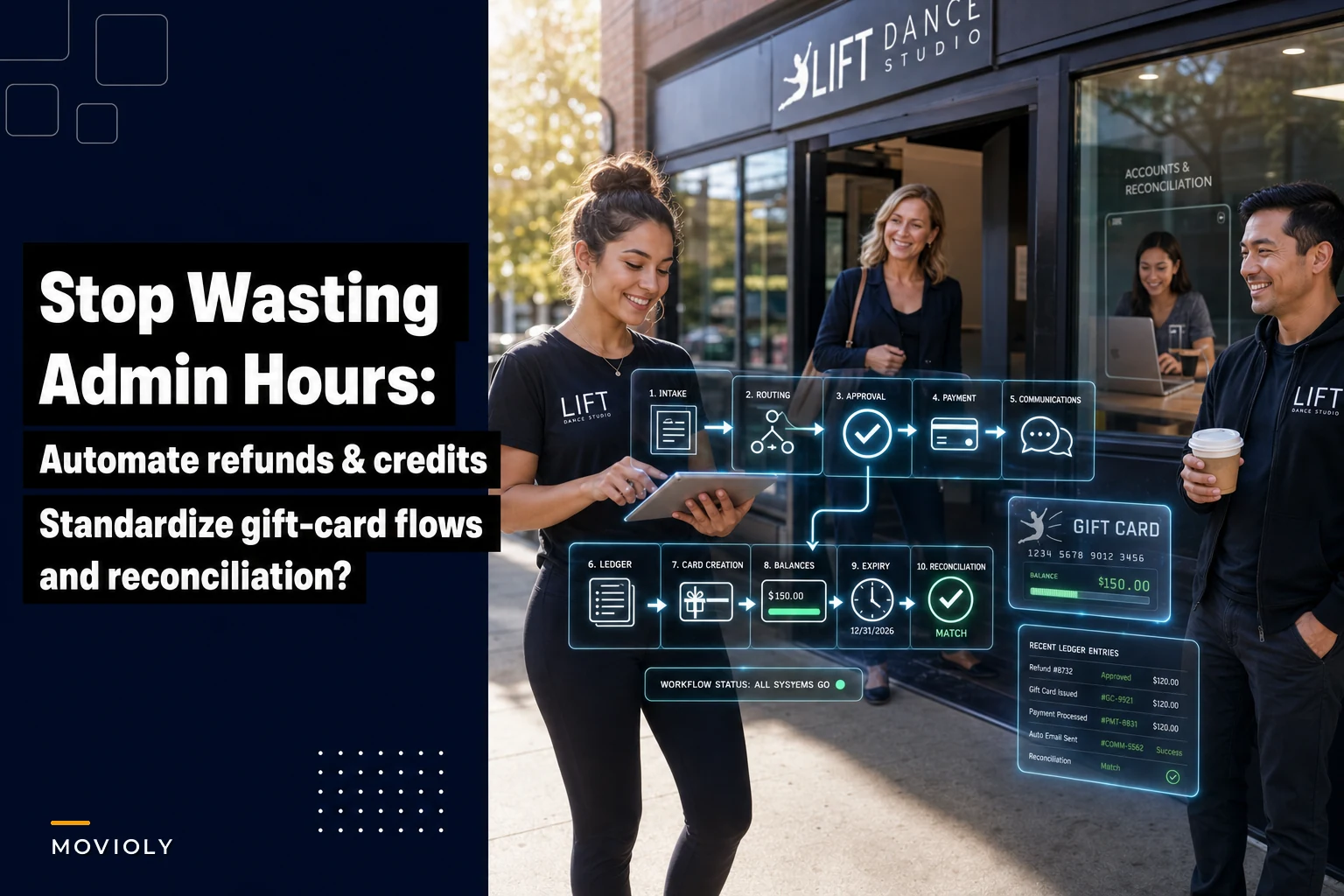

Running refunds and gift cards through spreadsheets feels manageable until you realize your assistant spent six hours last week just processing December's holiday credits. That's roughly $150 in labor for what should take maybe 20 minutes with the right setup.
It compounds during peak seasons. Studios handling 40-60 monthly transactions manually can burn through somewhere between 15 and 20 admin hours on refund approvals, gift card tracking, and reconciliation alone. At $25/hour, that's $375-500 every single month in overhead for tasks that don't benefit your students at all.
Why studios default to manual tracking (and why it breaks)
A spreadsheet genuinely seems fine at first. Parent requests a refund, you check the policy, approve or deny, process through your payment system, update the sheet. Ten minutes, maybe.
But complexity stacks fast. A typical studio is juggling:
-
Different refund policies for trials versus full-term enrollments
-
Medical exceptions that need documentation
-
Partial credits for mid-term withdrawals
-
Gift cards purchased but not yet redeemed
-
Holiday promotions with their own special terms
-
Make-up class credits expiring on different dates
Each exception becomes another spreadsheet column. Another formula. Another thing someone has to manually check and remember.
Around 150 active students is where things usually fall apart. That's when admin burden crosses from annoying to unsustainable — your bookkeeper starts spending full mornings on transaction reconciliation, parents wait days for refund confirmations, and gift card balances get tracked wrong in ways that create awkward front-desk conversations nobody wants to have. One studio manager told me she was spending every Monday morning just reconciling the prior week's credits before she could do anything else. That's not an exaggeration.
The real cost extends beyond labor hours
Studios lose roughly 2-3% of annual revenue to refund processing errors and gift card mismanagement. For a $200k studio, that's somewhere in the $4,000-6,000 range quietly walking out the door each year.
Eliminate scheduling headaches and missed payments.
Movioly streamlines booking, confirming, and managing every class with ease.
- Unified class and instructor scheduling
- Automated student notifications
- Integrated payment tracking
No credit card required
The leakage comes from predictable places:
Double refunds happen when multiple staff process the same request through different channels. Parent emails about a refund, calls the studio, and messages through your app. Three people initiate processing. Your payment processor logs three credits. Nobody catches it until month-end, if at all.
Gift card float becomes invisible money. Parents buy $500 in gift cards during your holiday promo. Six months later, $300 is still sitting there unredeemed. Without proper tracking, you can't recognize that liability correctly or even remind customers to use their balance.
Policy inconsistencies quietly damage your reputation. One instructor offers full refunds for missed classes. Another sticks to the 48-hour notice policy. Parents compare notes, and suddenly you're the studio that plays favorites — even though the real problem is just inconsistent workflows.
Reconciliation gaps pile up monthly. Your payment processor shows 42 refunds totaling $3,847. Your spreadsheet shows 38 refunds totaling $3,592. Tracking down those four missing transactions eats hours while your books stay open and financial decisions stall.
Building approval thresholds that actually work
The fix isn't a better spreadsheet — it's clear approval workflows. Studios need defined thresholds that trigger appropriate oversight without creating bottlenecks.
A practical threshold structure looks something like this:
| Refund Amount | Approval Level | Documentation Required | Processing Timeline |
|---|---|---|---|
| Under $50 | Front desk staff | Email request only | Same day |
| $50-$200 | Studio manager | Written form + reason | 24-48 hours |
| $200-$500 | Owner/Director | Form + supporting docs | 2-3 business days |
| Over $500 | Owner + bookkeeper review | Full documentation package | 3-5 business days |
This prevents both failure modes: staff issuing large refunds without oversight, and owners getting pulled into every $25 trial refund.
Matching authority levels to actual risk is the goal. Front desk handling small refunds keeps customer service fast. Owner involvement on larger amounts protects margins. The graduated structure keeps things moving while keeping someone accountable at each level.
Gift card rules that prevent revenue leakage
Gift cards are deferred revenue, not free money. Studios that treat them casually often discover thousands in unredeemed balances creating accounting headaches at year-end.
Solid gift card management needs three things:
Issuance controls that track every dollar from sale to redemption. Each gift card needs a unique identifier, purchase date, purchaser info, and expiration terms. Tracking this in a spreadsheet becomes unmanageable fast once you're past 20-30 active cards.
Redemption workflows that prevent double-dipping. When a parent uses a $100 gift card toward a $75 class package, that $25 remaining balance has to update immediately across all systems. Manual tracking means someone eventually applies the same card twice.
Expiration management that follows state laws while protecting cash flow. Some states prohibit expiration entirely. Others allow it after specific timeframes. Studios need automated reminders before expiration hits, proper liability recognition, and clear communication about terms upfront.
The workflow should handle partial redemptions without friction. Parent buys a $200 gift card, uses $75 for summer camp registration — the system shows $125 remaining, sends a confirmation, and updates your deferred revenue accounts automatically.
Step-by-step automation mapping
Moving from manual to automated processing takes real workflow design. Studios often fumble automation projects by digitizing broken processes instead of fixing the underlying issues first.
Start with your refund approval flow:
Step 1: Request intake standardization Build a single refund request form that captures student name, program, refund amount, reason category, and any supporting documentation. This replaces the chaos of random emails, calls, and texts with structured, consistent data.
Step 2: Automatic routing based on thresholds Requests under $50 go straight to the front desk queue. Requests over $200 trigger an owner notification. Medical refunds get flagged for priority handling regardless of dollar amount. Routing happens immediately, not when someone happens to check their email.
Step 3: Approval triggers payment processing Once approved, the refund processes through your payment gateway automatically. No manual credit card refunds, no checks, no extra steps. The system handles the transaction and logs it for reconciliation.
Step 4: Automated communications Parents get immediate acknowledgment when they submit, status updates when it's approved or denied, and a final confirmation with amount and expected timeline — all without staff sending individual emails.
Step 5: Ledger integration Every refund posts to your accounting system automatically with proper categorization. Medical refunds tag differently than schedule conflicts. Trial refunds separate from full-program refunds. Your books stay current without manual data entry.
Here's a visual workflow of the refund and gift card automation mapping.
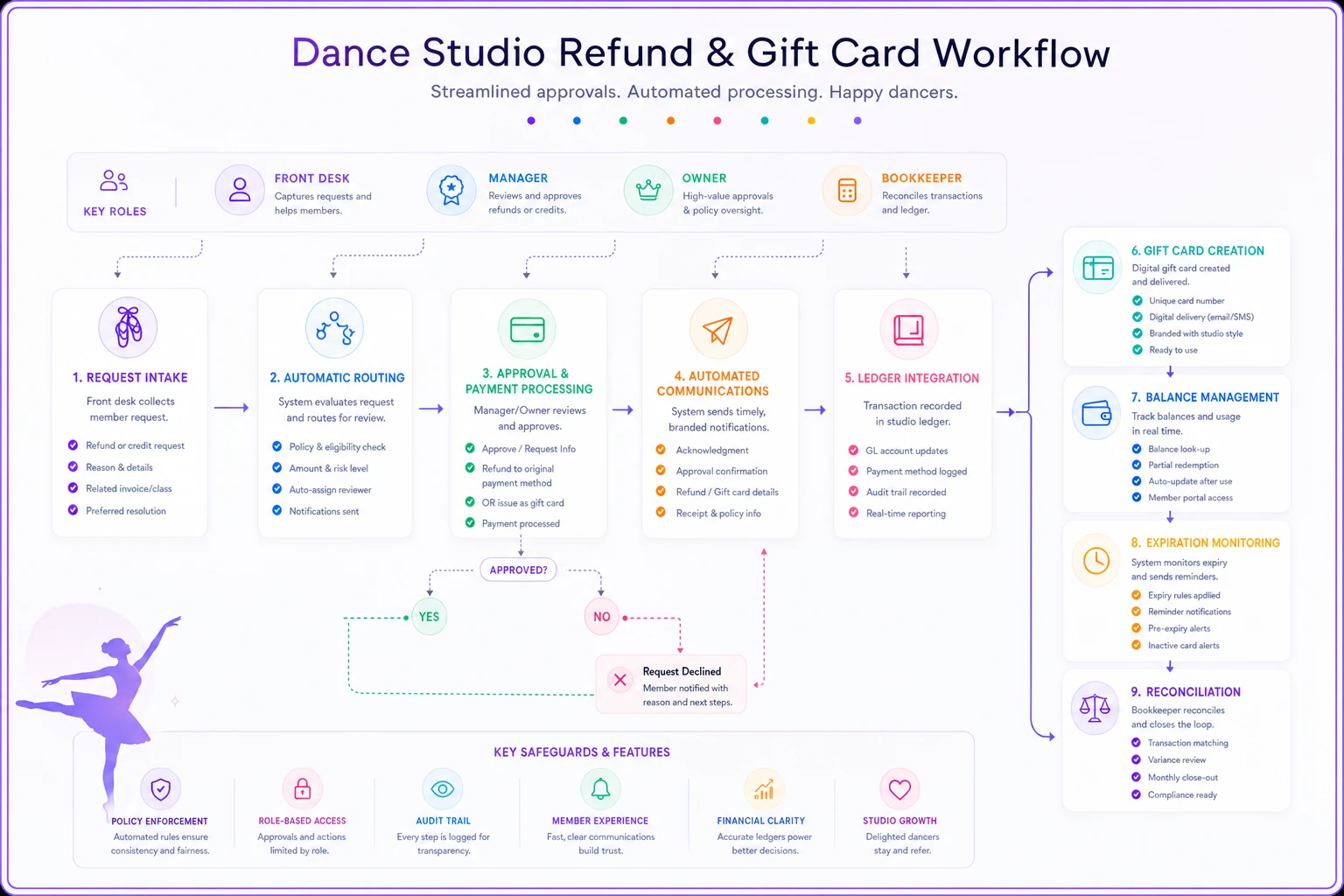
The gift card workflow follows the same logic but adds balance tracking:
Card creation generates unique codes and captures purchase details. Balance management updates in real-time with every transaction. Expiration monitoring sends reminders at 90, 30, and 7 days out. Reconciliation matches gift card liability to actual outstanding balances each month.
Connecting to your existing financial workflows
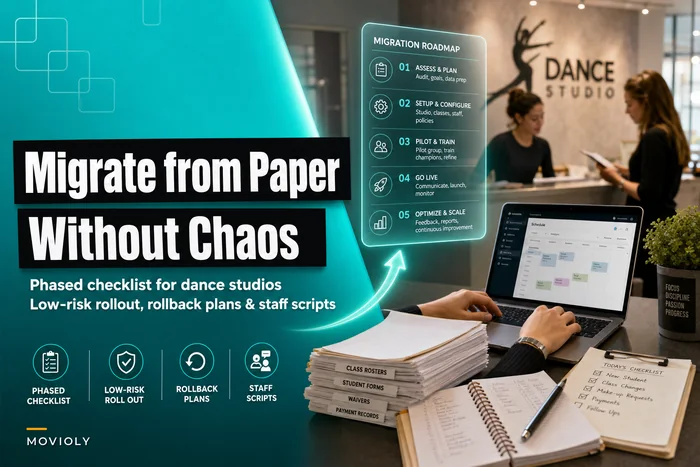
None of this works unless it integrates with what you're already using. Studios running paper-based workflows need a migration strategy before layering on refund automation.
The integration points that matter most:
Your payment processor needs to support programmable refunds. Most modern gateways offer APIs for automated processing. If yours doesn't, switching processors might honestly save more than the automation itself.
Your accounting software needs to accept automated journal entries. QuickBooks, Xero, and similar tools handle this well. Excel-based bookkeeping becomes the bottleneck that prevents you from getting the real benefit here.
Your communication platform should trigger automated emails and texts. Parents expect near-immediate confirmation. The automation should feel faster than manual processing — because it is.
Technical setup typically takes two to three weeks for a studio of average size. Workflow design and staff training adds another couple of weeks on top of that. Within about two months, you're processing refunds in minutes instead of hours.
Measuring the operational impact
Studios that implement automated refund and gift card workflows usually see meaningful changes within the first quarter:
Processing time drops from 15-20 hours monthly to 2-3 hours of oversight. That's not just labor savings — it's capacity freed up for enrollment and retention work instead of spreadsheet maintenance.
Error rates fall from around 3-4% of transactions to under 0.5%. Fewer double refunds, no missed gift card redemptions, and reconciliation that doesn't require a detective.
Parent satisfaction improves because processing is faster and communication is clearer. Refund requests get acknowledged immediately rather than sitting in someone's inbox over a weekend.
Financial visibility becomes real-time instead of monthly. You see refund trends as they develop. Gift card liability updates daily. The financial metrics that actually matter become actionable because the underlying data stays current.
When automation makes sense (and when it doesn't)
Not every studio needs full refund automation right now. The investment makes sense when manual processing is creating genuine operational drag.
Clear indicators you need automation:
-
Spending over 10 hours monthly on refund processing
-
Managing more than 30 gift cards at a time
-
Running multiple programs with different refund policies
-
Dealing with monthly reconciliation discrepancies
-
Losing staff hours during peak enrollment to refund management
Situations where manual processing still works fine:
-
Under 50 active students with minimal refund volume
-
Single program offerings with consistent policies
-
Gift cards only show up during an annual fundraiser
-
A dedicated bookkeeper already handles all financial transactions
The transition becomes inevitable as studios scale. What works at 75 students starts breaking down at 150. Processes that feel controlled become chaotic during growth spurts, which is exactly the wrong time to be scrambling with admin.
Implementation without disrupting operations
The biggest mistake is trying to automate everything at once. Successful implementation happens in phases.
Start with refund approvals while keeping manual payment processing. This proves the workflow without putting payments at risk. Add automated payment processing once approvals are running smoothly. Layer in gift card management after refunds have stabilized.
Roll out the workflow to a single program or location first to validate processes before scaling studio-wide.
Training follows the same logic. Front desk staff learn the approval interface first. Owners see how oversight works without getting into technical weeds. Bookkeepers connect the integration once the core workflows are stable.
Most studios complete full implementation within 8-12 weeks. The phased approach means operations don't stop. Parents don't experience service disruption. Staff adapt naturally rather than facing a wall of new systems all at once.
The compound effect of operational efficiency
Automated refund processing looks like a small improvement on paper. A few hours saved per month. But the impact compounds across your whole operation.
Staff freed from refund spreadsheets can focus on enrollment follow-ups. Accurate gift card tracking opens up promotional opportunities that were previously invisible. Clean reconciliation makes financial planning actually possible. Each efficiency gain creates room for the next one.
Studios with these automated workflows handle growth more smoothly. Adding 50 students doesn't mean proportionally more refund processing time. Holiday gift card promos scale without the administrative hangover. The business gets more profitable through efficiency, not just revenue growth.
The studios still processing refunds manually will hit their breaking point eventually — usually during peak enrollment season when every hour counts. Building these workflows before that crisis arrives puts you in a very different position than scrambling to fix it mid-season.
Your competition might still be tracking gift cards in Google Sheets and processing refunds through email chains. While they're buried in admin work, you can focus on what actually matters: teaching great classes and growing your studio.
Ready to elevate your studio operations?
Join 500+ studios using Movioly to save time, reduce admin workload, and enhance student experiences.