

Most studios don't fall apart during the obvious disasters. They fall apart during the small, boring ones — the payment processor that's down for four hours on the busiest enrollment Saturday of the year, the scheduling tool that silently drops a sync and double-books three studios, the email provider that decides your recital reminder blast looks like spam.
The problem isn't that these things happen. They happen to everyone. The problem is that most studios have no agreed-upon way to respond. When something breaks, three people improvise in three directions, nobody writes anything down, and by the time it's resolved, nobody can say what actually went wrong or whether it'll happen again.
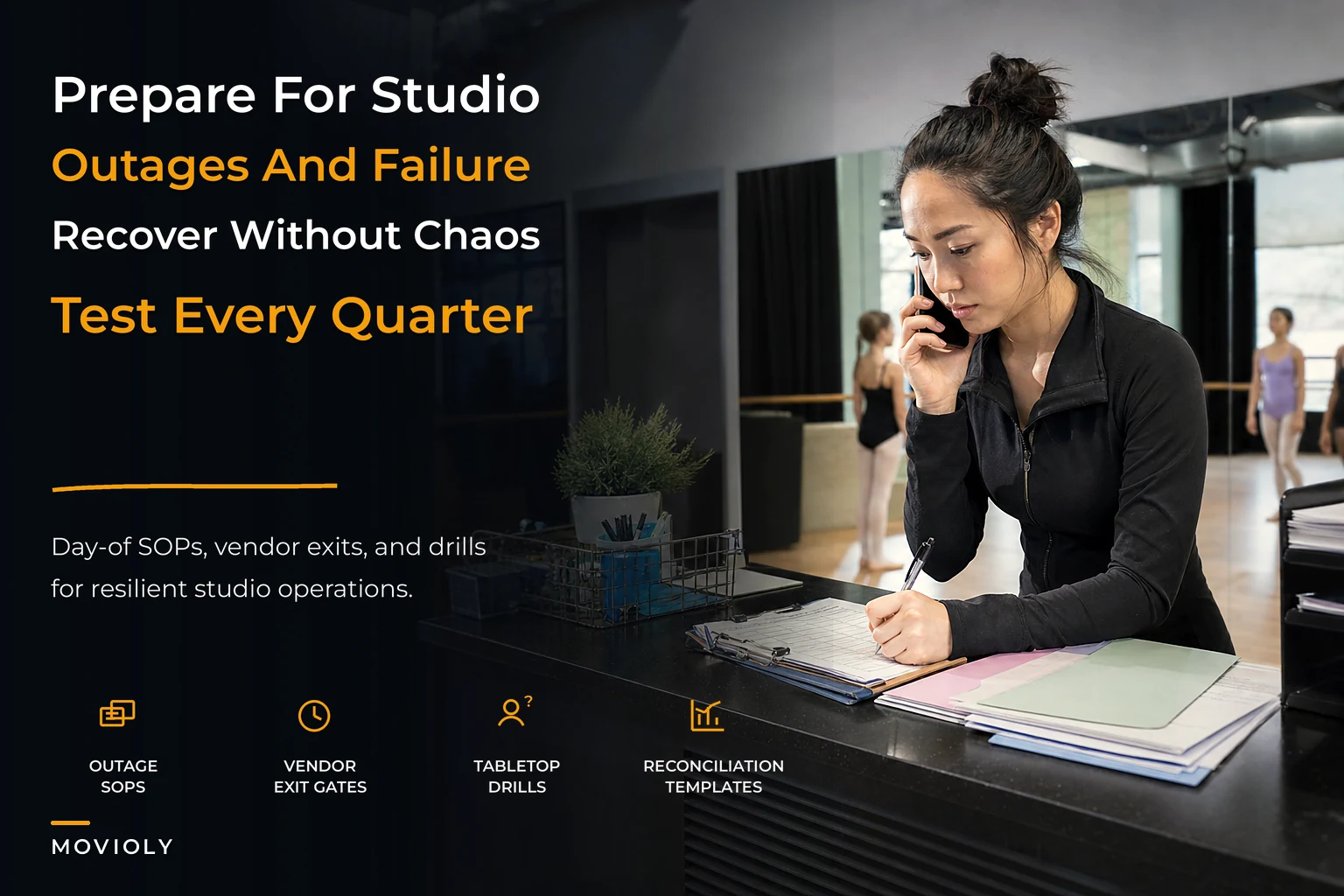
What you need isn't an enterprise disaster-recovery binder nobody reads. You need a studio resilience playbook — a lightweight governance program that covers how you behave on the day of an outage, how you hold vendors accountable, how you practice before the real thing, and how you reconcile the mess afterward. The goal is a system that fails gracefully instead of catastrophically.
Why resilience breaks down the same way everywhere
The pattern is almost always the same: resilience lives in one person's head. Usually the owner. They know the processor login, they know which instructor to text when the front desk tablet freezes, they know that the online schedule and the billing system don't actually talk to each other the way the sales rep promised.
That works fine until the studio grows past the owner's attention span. Add a second location, a few part-time admins, and 400 active families, and suddenly the informal "I'll just handle it" model becomes the single biggest point of failure in the business. The owner is teaching a class when the card processor goes down. Nobody else knows what to do. Refunds pile up. Parents get three contradictory answers.
The deeper issue is that studios treat each failure as a one-off emergency instead of a category. A down payment system, a down scheduling tool, and a down email provider feel like three different crises. Operationally, they're the same shape: a dependency failed, and you need a known fallback, a communication script, and a way to reconcile what happened once it's back. When you see them as one category, you can govern them with one program instead of inventing a response every time.
The four parts of a resilience program that actually gets used
A playbook that works for a small studio has exactly four moving parts. Any more and it becomes shelfware. Any fewer and it leaves obvious gaps.
Eliminate scheduling headaches and missed payments.
Movioly streamlines booking, confirming, and managing every class with ease.
- Unified class and instructor scheduling
- Automated student notifications
- Integrated payment tracking
No credit card required
-
Day-of outage SOPs — what the person on the floor does in the first 15 minutes, before anyone "fixes" anything.
-
SLA and exit gates — the contractual and decision rules that tell you when a vendor has failed you badly enough to act.
-
Tabletop drills — scheduled practice runs so the SOPs aren't theoretical.
-
Vendor-failure runbooks and reconciliation templates — step-by-step recovery and the cleanup math afterward.
The order matters. Most studios jump straight to runbooks because they feel productive to write. But a runbook without a day-of SOP just sits in a folder. The day-of SOP is what someone reaches for when their hands are shaking and a line of parents is forming at the desk.
Day-of outage SOPs: the first 15 minutes
The single most valuable document in this entire program is a one-page card that answers: something just broke — what do I do right now? Not how to fix it. How to contain it.
A good day-of SOP separates three jobs that studios usually collapse into one panicked person:
-
Detect and classify. Is this a payment problem, a scheduling problem, a communication problem, or an access problem? The classification tells you which runbook applies.
-
Contain. Switch to the manual fallback immediately. Paper check-in sheet. A pre-written "our system is temporarily down, your spot is safe" message. Don't let the outage cascade into angry parents while you troubleshoot.
-
Escalate and log. Note the exact time it started, who you contacted, and what the vendor said. This log is what powers your reconciliation later and your SLA claims.
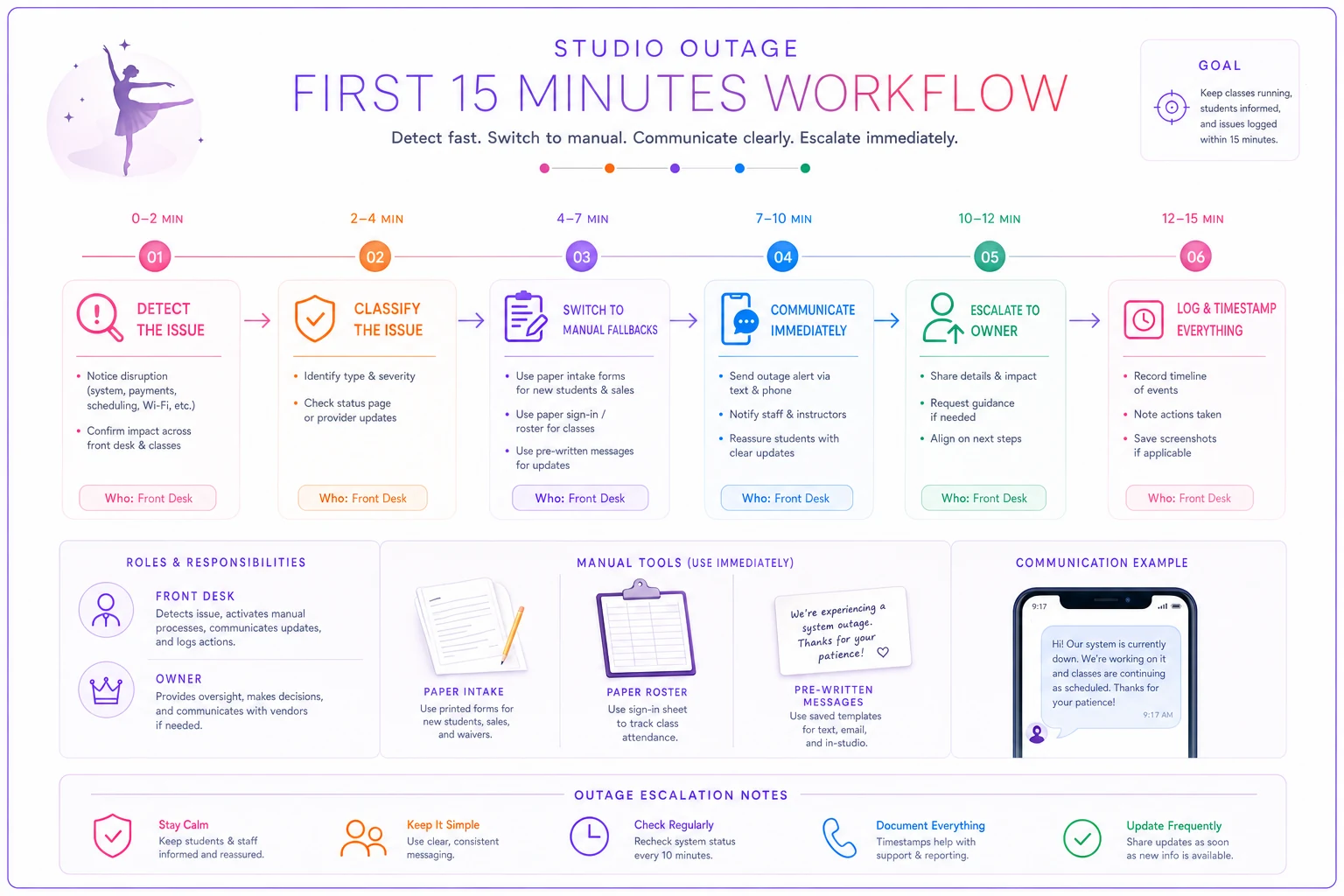
A typical example looks like this: the online booking system goes down Saturday morning during trial-class intake. Without an SOP, the front desk admin spends 20 minutes refreshing the page and apologizing. With one, she flips to the printed roster, hands new families a paper intake form, texts the owner a single pre-written alert, and starts a timestamped note. The outage still happened — but the studio didn't lose a single trial family because the operation kept running while the software didn't.
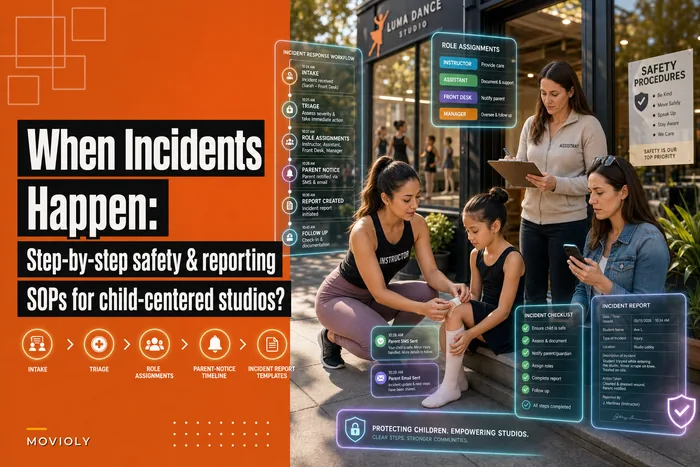
The incident-logging habit here connects directly to how you handle physical-safety events. The same discipline you'd apply to step-by-step safety and incident-reporting SOPs — timestamp it, name a single owner, record what was said — applies to operational outages. If you've already built incident muscle memory for child safety, you're borrowing the same reflexes here.
SLA and exit gates: knowing when a vendor has actually failed you
This is the part studios skip, and it's the part that costs the most over time. Everyone signs the contract, nobody reads the service-level terms, and then they tolerate a vendor who's down for a cumulative two days a quarter because switching feels harder than suffering.
| Failure signal | Tolerable | Warning | Exit gate triggered |
|---|---|---|---|
| Payment processor downtime | < 2 hrs/quarter | 2–6 hrs/quarter | > 6 hrs/quarter or any outage during peak enrollment |
| Unresolved support tickets | Closed in 48 hrs | 3–5 days | Repeatedly > 7 days with revenue impact |
| Data/sync errors | Rare, self-correcting | Monthly manual fixes | Weekly reconciliation needed to trust the data |
| Billing discrepancies | < 1% of charges | 1–3% | > 3% or any silent double-charges |
The point of the table isn't the exact numbers — set your own based on your margins and your peak calendar. The point is that "this vendor is annoying" becomes "this vendor crossed gate 3 in two consecutive quarters, so we're activating our migration plan." That's a governed decision, not a vent session.
This ties directly into broader vendor governance that prevents fragile studio technology. Resilience governance is really the day-of and recovery layer sitting on top of vendor-selection discipline — one chooses who you depend on, the other decides what happens when that dependency lets you down.
Tabletop drills: practice before the real outage
A plan you've never tested is a guess. Tabletop drills are the cheapest insurance in this program because they cost an hour and surface the gaps your written SOP can't predict.
A drill is simple: gather whoever's on the operational team, pick a scenario, and walk through it out loud. No systems are actually taken down. You just ask, "The processor is down right now, it's Saturday at 10am, go." Then you watch where people hesitate.
-
Nobody actually knows where the paper fallback forms are stored.
-
Two people think they're the one who contacts the vendor; neither does.
-
The "pre-written parent message" was never actually written.
-
The backup admin doesn't have login access to the one tool that matters.
Assign a drill facilitator to keep the scenario moving and note hesitation points for follow-up.
Run these quarterly and rotate the scenario each time. Quarter one, payment outage. Quarter two, scheduling tool data loss. Quarter three, a vendor announces they're sunsetting a product you rely on. Quarter four, a full migration dry-run. The goal is that by the time something real happens, the response feels familiar instead of novel.
The most common mistake is running one drill, feeling good, and never doing it again. Resilience decays. People leave, tools change, logins get reset. A drill from 18 months ago is mostly fiction today.
Vendor-failure runbooks and reconciliation templates
When a day-of SOP contains the problem and the vendor eventually comes back, you still have cleanup to do — and this is where quiet revenue leaks live. Charges that didn't go through. Classes booked on paper that never made it into the system. Families credited twice because two admins both issued a goodwill credit.
A vendor-failure runbook is the longer, step-by-step recovery for a specific failure type. Where the day-of SOP is one page and reactive, the runbook is detailed and procedural:
-
Confirm the vendor has fully restored service (not just partially).
-
Export the manual records collected during the outage — paper rosters, text confirmations, the timestamped log.
-
Reconcile manual records against what the restored system shows. Flag every gap.
-
Process the backlog deliberately
pending charges, missed confirmations, duplicate credits.
-
Verify family-facing accuracy — no double charges, no lost reservations.
-
Write a short post-incident note
what broke, how long, what it cost, whether it crosses an exit gate.
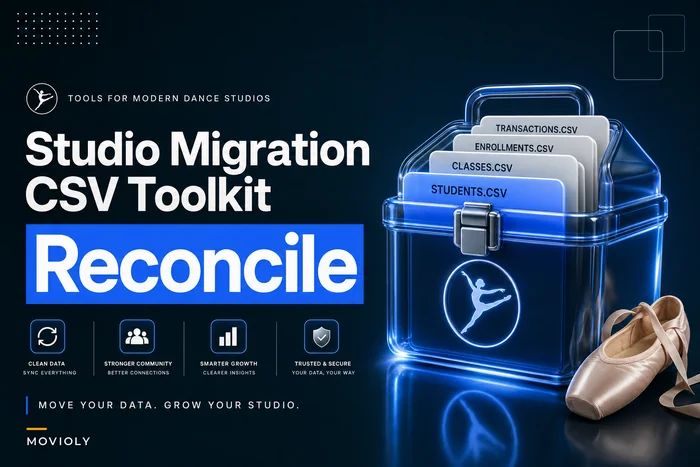
Step 3 is where a reconciliation template earns its keep. The same discipline that shows up in a studio migration toolkit with CSV templates and rollback runbooks applies directly here — you're comparing two sources of truth and resolving the differences before they turn into parent complaints or accounting errors. An outage is really just an unplanned mini-migration back into your system.
Thoughtfully-chosen operational software quietly reduces the blast radius here. Platforms that keep a clean, centralized record and support automated reconciliation checks mean your post-outage cleanup is a filtered report instead of a weekend of manual spreadsheet detective work. The software doesn't prevent the outage — nothing does — but it shrinks how long you're exposed and how much human error creeps into the recovery.
A real scenario: the Saturday the processor went dark
A two-location studio with roughly 450 active families had their payment processor go down for about three hours on a peak registration Saturday. Before they had a playbook, an earlier shorter outage had cost them in two ways: around a dozen trial families drifted off because nobody captured their info cleanly, and the post-outage reconciliation missed several duplicate credits — somewhere in the low hundreds of dollars that nobody caught for weeks.
This time they had a one-page day-of SOP and a reconciliation template. The front-desk lead switched to paper intake within a couple of minutes, sent the pre-written "your spot is safe" message, and logged start and end times. When the processor came back, the backlog of roughly 30 pending charges and paper intakes was reconciled in under an hour instead of spilling across the following week. No trial families were lost. No duplicate credits slipped through.
The outage was the same length both times. The difference was entirely governance — and the quarterly drill they'd run two months earlier was the reason the admin didn't freeze.
When this makes sense — and when it's overkill
When a resilience playbook is worth building: You've got more than one location or more than one admin, you process meaningful payment volume, and your enrollment is concentrated into a few peak windows a year. Those windows are exactly when an outage is most expensive and most likely to coincide with high load. If a single bad Saturday can cost you a cohort of trial families, you need this.
When it's premature: A solo-owner studio with 40 students and one tool that rarely fails doesn't need quarterly drills and an exit-gate table. The owner is the playbook, and that's genuinely fine at that size. Writing four documents for a problem that happens once a year is just procrastination dressed up as rigor.
Who should not over-build this: If you catch yourself designing for failures you've never actually experienced — a six-tier escalation tree, color-coded severity levels, a 40-page binder — stop. Resilience governance that's too heavy doesn't get used, and an unused plan is worse than a simple one because it creates false confidence.
Pulling it into one quarterly cadence
The whole program runs on a light rhythm, not constant effort. Once a quarter, you do three things: run one tabletop drill, review whether any vendor crossed an exit gate, and confirm your fallback materials and logins still work. That's maybe two hours a quarter to keep the whole studio resilient.
A simple quarterly checklist:
-
[ ] Run one tabletop drill with a fresh scenario
-
[ ] Review vendor performance against exit-gate thresholds
-
[ ] Verify paper fallback forms are current and findable
-
[ ] Confirm backup admin has working logins to critical tools
-
[ ] Check that pre-written parent messages still read accurately
-
[ ] Update runbooks if any tool or vendor changed
-
[ ] Review the last quarter's incident logs for repeat patterns
That last item is the one that turns reactive studios into resilient ones. If the same vendor shows up in your incident log three quarters running, you don't have an outage problem — you have a vendor problem, and your exit gates already told you what to do about it.
Resilience governance isn't about predicting the specific disaster. It's about building a studio where the answer to "the system is down, what do I do?" is already written, already practiced, and already owned by someone who isn't you mid-class. Outages and vendor failures stop being existential threats and become routine events you handle in minutes — which is exactly what lets you keep growing without carrying the whole operation in your head.
Ready to elevate your studio operations?
Join 500+ studios using Movioly to save time, reduce admin workload, and enhance student experiences.